Parallel editing is a key film editing technique that helps tell stories clearly. It shows two or more events happening at the same time. By switching between scenes, editors can create suspense, excitement, or emotion. This guide explains parallel editing in film, gives examples, and shares tips for filmmakers and video editors. Even beginners can learn basic film editing techniques using parallel editing.

What is Parallel Editing?
Parallel editing is a way to cut between scenes that are happening at the same time. It helps the audience follow multiple storylines. Editors use it to make movies exciting and easy to understand. Parallel editing also improves pacing and keeps viewers interested.
Definition of Parallel Editing
Parallel editing is when a movie shows two or more stories or actions at once. It helps build tension, suspense, and excitement. This technique is widely used in cinematic editing techniques. Editors use it to make viewers feel the connection between scenes. It also helps keep the story smooth and engaging.
Parallel Editing vs Intercutting vs Cross Cutting
Intercutting Editing: Intercutting editing switches back and forth between scenes. It shows how events or characters are connected. Editors use it in action or dramatic scenes to make the story exciting.
Cross Cutting: Cross cutting shows events happening at the same time in different places. It makes the story feel urgent and tense. Many movies use it to keep viewers aware of what is happening everywhere.
Parallel Editing: Parallel editing includes both intercutting and cross cutting. It helps editors switch between several storylines smoothly. For example, in The Godfather, the baptism scene cuts to violent mob actions, creating tension and clear story connections.
Importance of Parallel Editing in Film
Parallel editing makes movies more exciting and emotional. It shows multiple events happening together. It also guides viewers’ emotions and makes stories easier to follow. Knowing different editing styles in film helps editors decide which style works best.
Building Suspense and Drama
Switching between scenes keeps the audience on edge. For example, cutting between a hero in danger and a ticking clock creates tension. Editors use basic film editing techniques with parallel editing to increase excitement. Timing is key to making the story feel thrilling.
Showing Simultaneous Action
Parallel editing lets viewers see more than one event at the same time. For example, a chase scene can cut between the hero and villain. Using this method helps audiences understand complex stories. Many techniques of film editing books highlight this as a core skill.
Enhancing Emotional Impact
Parallel editing connects different storylines to increase emotion. Movies like Inception and The Dark Knight use it to make viewers feel suspense or fear. Editors combine movie editing styles and editing techniques in movies to match music, visuals, and timing. Done right, it makes the story more powerful.

Techniques and Styles Used in Parallel Editing
Parallel editing uses several editing styles film professionals rely on to tell stories creatively.
Intercutting Editing
Intercutting editing switches between scenes to show connections or tension. It is common in action sequences. For example, a chase may cut between the pursuer and the chased person. Editors use it to show stakes or conflict clearly. Many guides on the technique of film and video editing recommend learning this method.
Cross Cutting
Cross cutting definition film is when editors show simultaneous actions. Unlike intercutting, it focuses on events happening at the same moment. For example, in The Lord of the Rings, battles in different locations are shown at the same time. Parallel editing in movies often uses cross cutting to keep viewers engaged.
Other Movie Editing Styles Related to Parallel Editing
- Montage: A series of shots that show time passing or ideas.
- Split-screen: Shows multiple events on the screen at the same time. These editing cinematic techniques complement parallel editing for creative storytelling. Knowing editing styles film helps editors combine these methods effectively.
Step-by-Step Guide to Using Parallel Editing
Planning Your Shots
Good parallel editing starts before filming. Storyboards, shot lists, and timelines help plan which scenes to cut together. Proper planning keeps the story clear.
Timing and Pacing Considerations
Timing is very important. Switching too slowly can bore viewers, and switching too fast can confuse them. Cinematic editing techniques help editors maintain smooth pacing.
Editing Software Tips (Adobe Premiere, Final Cut, DaVinci Resolve)
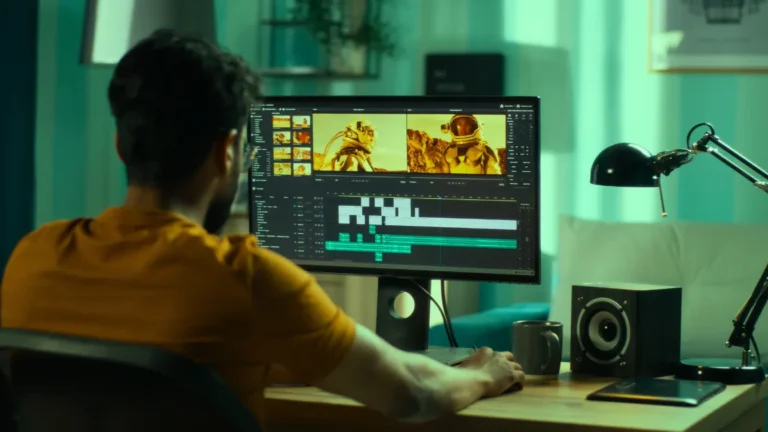
Editors use programs like Adobe Premiere, Final Cut, or DaVinci Resolve. Use multiple tracks to show simultaneous scenes. Color coding and markers keep editing organized. Many advanced editing techniques rely on software efficiency.
Common Mistakes to Avoid
- Cutting too often or too little
- Ignoring story connections
- Poor pacing
- Bad audio transitions
Avoiding these mistakes ensures smooth parallel editing in film.

Examples of Parallel Editing in Famous Movies
The Godfather (1972): The baptism scene is cut together with violent mob executions. These scenes happen at the same time. This parallel editing creates strong tension and shows contrast clearly.
Inception (2010): The movie shows multiple dream levels at once. Each level has its own action and timing. Parallel editing helps viewers understand how all levels connect.
The Dark Knight (2008): The bank heist scene is cut with chaos happening across the city. This makes the scene feel intense and fast-paced. Parallel editing keeps the audience focused on both actions.
Mission Impossible: Fallout (2018): Chase scenes happen in different locations at the same time. The movie cuts between these scenes smoothly. This builds excitement and keeps the story clear.
Avengers: Endgame (2019): Battle scenes take place in many areas at once. Parallel editing shows different heroes fighting at the same time. This makes the final battle feel large and dramatic.
These parallel editing examples show how multiple storylines can create tension, drama, and excitement in movies.
Tips for Filmmakers and Video Editors
Using parallel editing correctly takes planning and practice. Good editing choices make the story clearer and more exciting. The tips below will help filmmakers and video editors use parallel editing effectively.
Choose Scense Carefully
Pick scenes that are clearly connected to each other. The events should happen at the same time or support the same story idea. This helps the audience understand the story better.
Balance Pacing and Clarity
Make sure scene changes are smooth and easy to follow. Do not switch scenes too fast or too slowly. Good pacing keeps viewers interested without confusing them.
Test with Audences
Show your edited video to a small group first. Watch how they react and listen to their feedback. This helps you fix unclear parts before the final release.
Conclusion
Parallel editing is a vital technique in filmmaking. It shows simultaneous storylines, builds tension, and creates emotion. Using cross cutting definition film, intercutting editing, and other movie editing styles makes stories stronger.
Filmmakers and video editors should practice parallel editing in movies. Planning, experimenting, and learning from techniques of film editing books help create films that captivate audiences. Using the technique of film and video editing properly can turn ordinary movies into cinematic experiences.