

Jewelry photography plays a key role in online sales. High-quality images help customers trust your product. They also improve conversion rates.
AI jewelry product photography makes this process easier. It reduces the need for expensive studios and equipment. AI product photography helps create professional and realistic product images.
In this guide, you will learn how to create AI jewelry images step by step. You will also understand how to improve quality and avoid common mistakes.
What Is AI Jewelry Product Photography?
AI jewelry product photography is the process of creating or enhancing jewelry images using artificial intelligence tools. It replaces or supports traditional photography methods.
Instead of using a physical studio, camera setup, or model, AI generates realistic product visuals. It can add backgrounds, adjust lighting, and improve image quality automatically.
For example, you upload a simple photo of a ring. The AI tool places it on a luxury marble surface with soft lighting. AI can show earrings on a virtual model. It can place a gold necklace on a marble surface. AI product photography can also create lifestyle images for an online jewelry store.
Step-by-Step Process to Create AI Jewelry Photoshoot
Step 1 – Capture a Basic Product Image
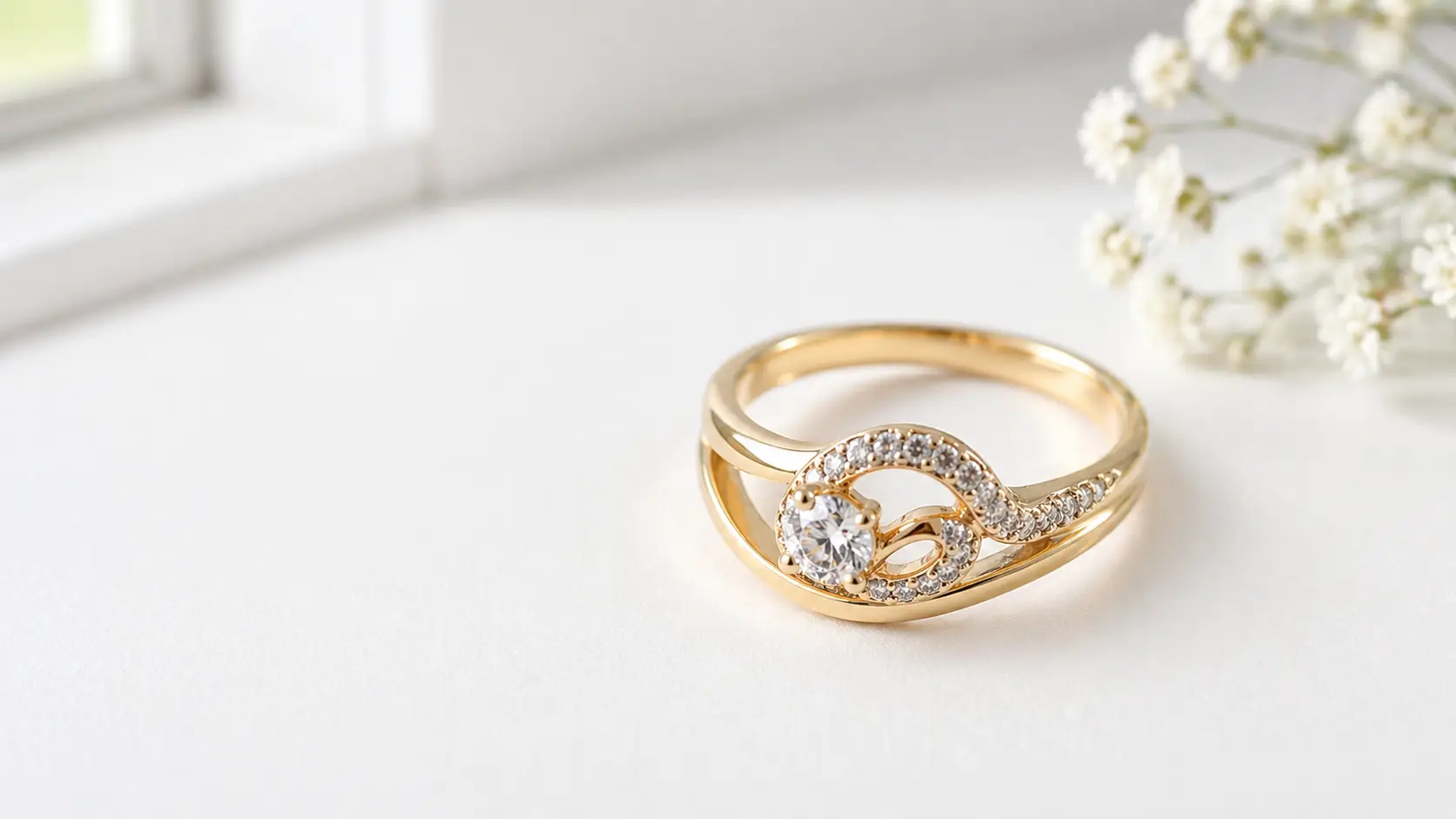
Start by taking a clear photo of your jewelry item. This image will work as the base for the AI tool. So, the photo should show the product properly.
Use natural light if possible. Place the jewelry near a window or in a bright area. Soft light helps show the shine, color, and small details of the jewelry.
Keep the background clean and simple. A white table, plain paper, or neutral surface works well. Avoid busy backgrounds because they can confuse the AI tool.
Make sure the product is in focus. Rings, necklaces, and earrings often have small details. A blurry photo can reduce the final image quality.
Also, take the photo from a good angle. The product should look natural and attractive. For example, capture a ring from a front or slightly side angle to show its design clearly.
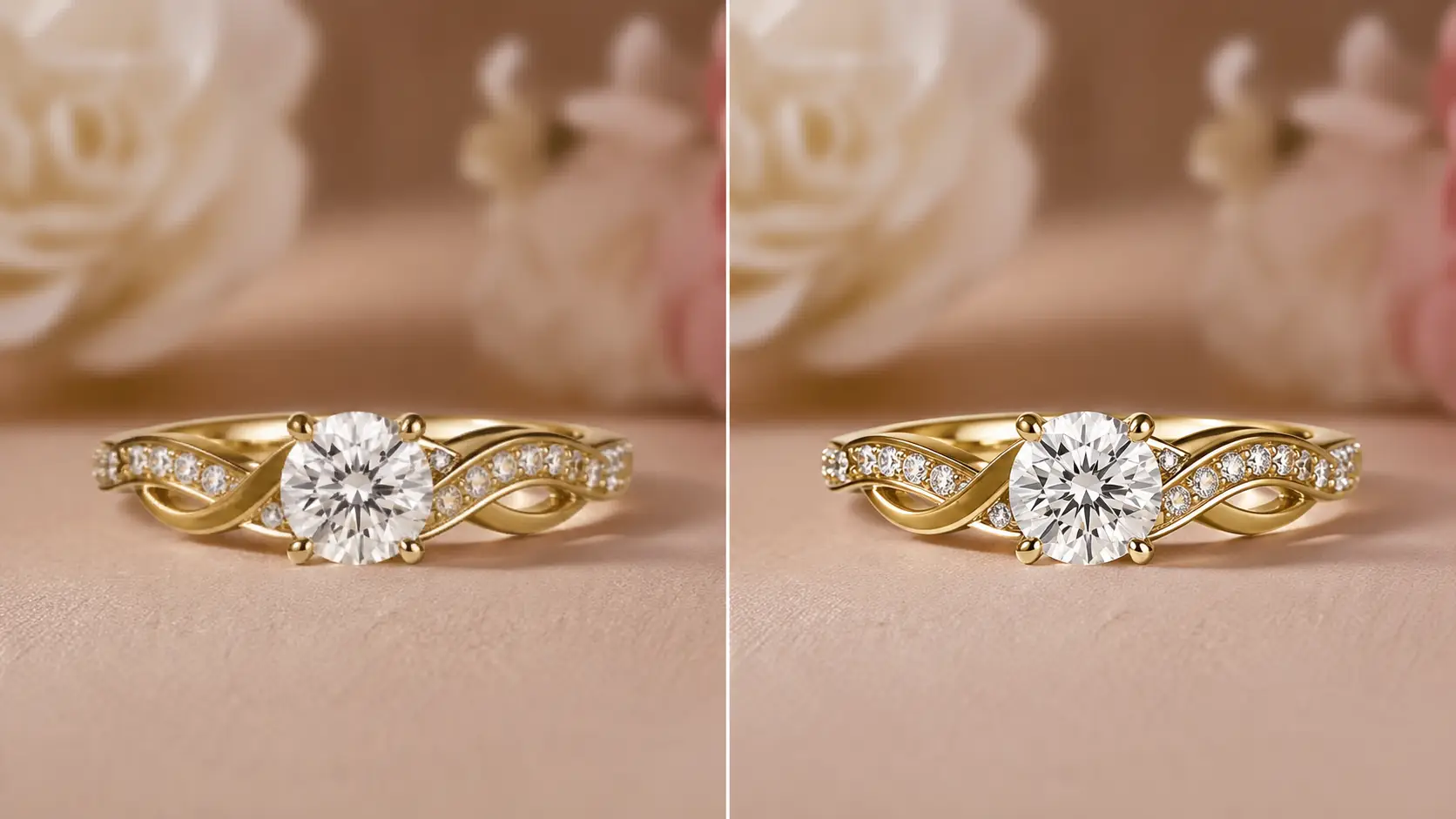
A good base image helps AI create better results. It improves lighting, background, sharpness, and overall product presentation.
Step 2 – Remove the Background
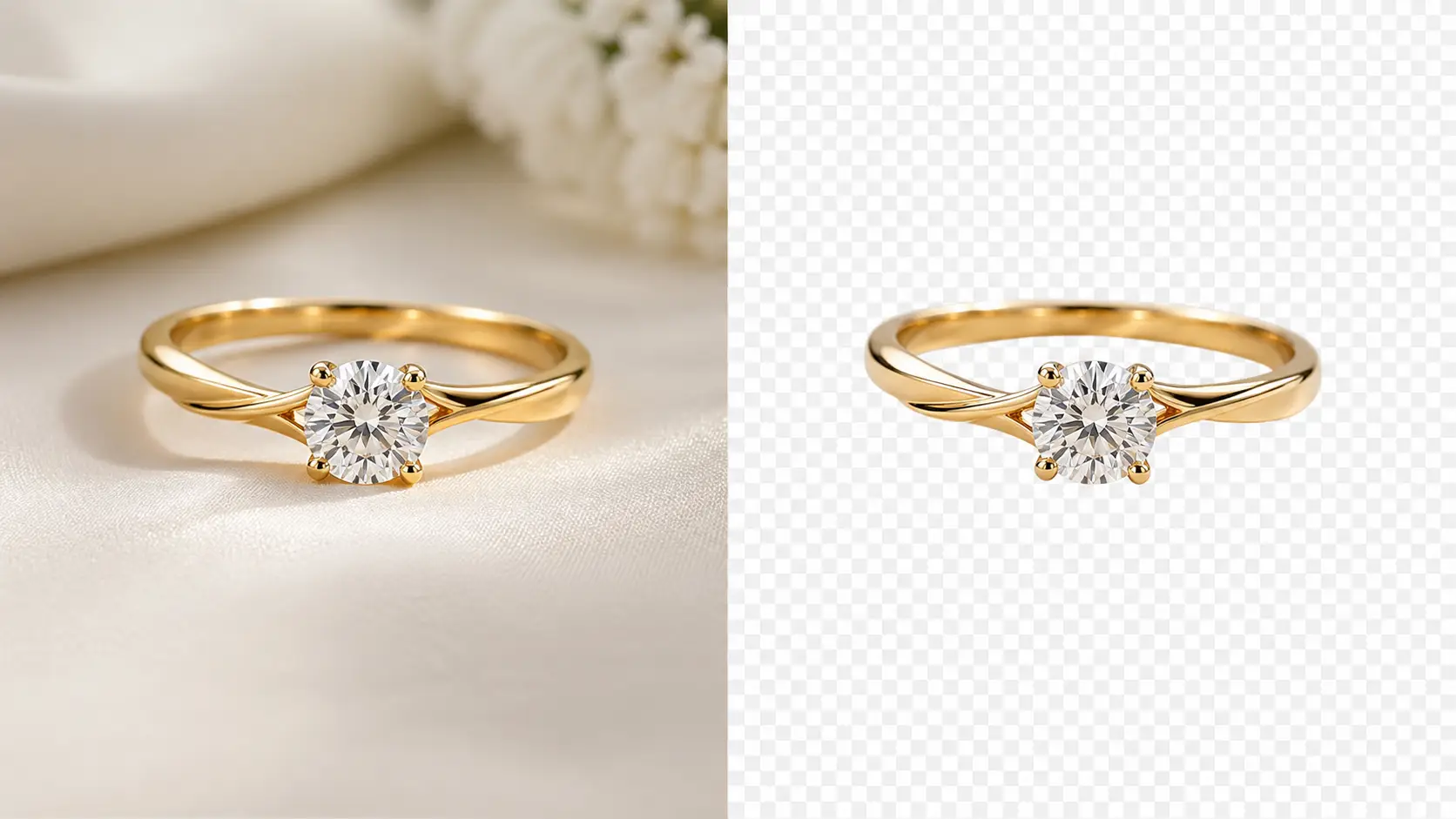
Upload your product image to a background removal tool. These tools use AI to separate the jewelry from the background.
The goal is to isolate the product. You want only the ring, necklace, or earring visible. After processing, the background becomes transparent. This is usually saved as a PNG file.
A transparent background makes editing easier. It allows AI tools to place your jewelry into any scene or environment.
For example, you can add a luxury background, a model, or a lifestyle setting. The product will blend naturally.
Clean edges are important. Check for rough cuts or missing parts, especially around small details like chains or gemstones.
A well-removed background improves the final result. It helps AI generate more realistic and professional images.
Step 3 – Use AI to Generate a Scene
Now, upload your transparent product image into an AI tool. This is where you create the final visual. Enter a clear prompt to describe the scene. The prompt guides the AI on how the image should look.
Example:
“Luxury gold necklace on marble surface, soft lighting, high detail.”
This tells the AI three things. It defines the product style, sets the background, controls the lighting.
Be specific with your prompt. Mention materials, lighting, mood, and setting. This helps the AI produce better results.
You can create different styles. For example:
- Minimal white background for eCommerce
- Luxury marble surface for premium branding
- Lifestyle scene for social media ads
After processing, the AI places your jewelry into a realistic environment. The shadows, reflections, and lighting will match the scene.
This step transforms a simple product photo into a professional, high-end image.
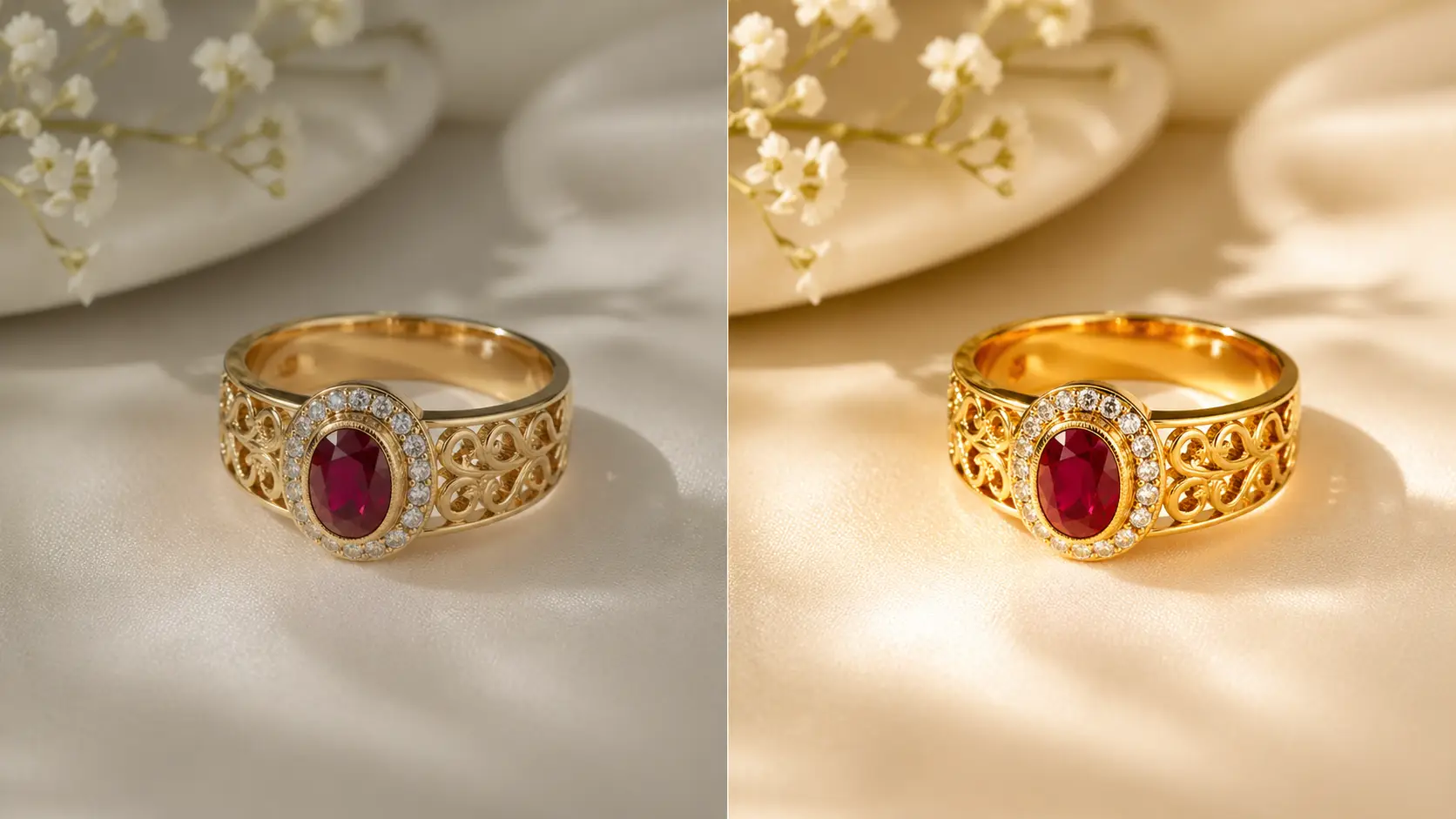
Step 4 – Enhance Image Quality
After generating the scene, improve the image quality using an AI upscaler. This step makes your jewelry look sharp and professional.
AI upscalers increase resolution without losing detail. They enhance edges, textures, and fine elements like gemstones or engravings.
Upload your image to an upscaling tool. Choose a higher resolution option, such as 2x or 4x. This makes the image suitable for eCommerce platforms in the US market.
Focus on clarity. Jewelry has small, intricate details. These details must look crisp and clean.
Check the final image carefully. Make sure there is no blur, noise, or distortion. Pay extra attention to reflections and metal surfaces.
High-quality images build trust. Clear visuals help customers see the product better and increase conversion rates.
Step 5 – Adjust Lighting and Colors
Now refine the final image by adjusting lighting and colors. This step improves realism and makes the jewelry look premium.
Start with brightness and contrast. Increase brightness slightly if the image looks dull. Adjust contrast to highlight the product details.
Next, fix the colors. Gold should look warm. Silver should look clean and neutral. Gemstones should appear vibrant but natural.
Check reflections carefully. Jewelry surfaces are reflective, so lighting must look realistic. Avoid harsh or unnatural shine.
Keep the overall look balanced. Do not over-edit the image. Too much editing can make the product look fake.
A well-adjusted image looks clean, natural, and high-end. This helps build trust with customers and improves product appeal.
Common Mistakes to Avoid
Common mistakes can reduce the quality of your visuals in AI jewelry product photography. Small errors in editing, lighting, or image quality can make the product look unrealistic. Understanding these issues helps you create clean, professional, and trustworthy jewelry images.
Over-Editing the Product
Many brands edit jewelry images too much. They make diamonds too bright or change the original metal color. This makes the product look fake. Keep the image natural so customers see what they will actually receive.
Unrealistic Reflections
Reflections can make jewelry look elegant, but too much reflection can ruin the image. If the reflection looks too sharp or does not match the lighting, the product may look unrealistic. Use soft and natural reflections that match the jewelry.
Low-Resolution Images
A blurry or low-quality image creates poor AI results. Small details like gemstones, engravings, and textures may disappear. Always start with a clear, high-resolution photo for better final images.
Ignoring Brand Style
Every jewelry brand has its own style. Some brands prefer a clean white background, while others want luxury lifestyle images. If your AI images do not match your brand style, your product catalog may look inconsistent. Keep your visuals aligned with your brand identity.
Conclusion
AI jewelry product photography is a smart and efficient solution for modern eCommerce. It helps you create high-quality visuals without complex setups. AI product photography also saves time and cost.
By following the right steps, you can produce clean, realistic, and professional images. Focus on clarity, natural lighting, and accurate colors. Avoid over-editing and keep your brand style consistent.
Strong product images build trust. Better visuals lead to higher engagement and more sales.















