

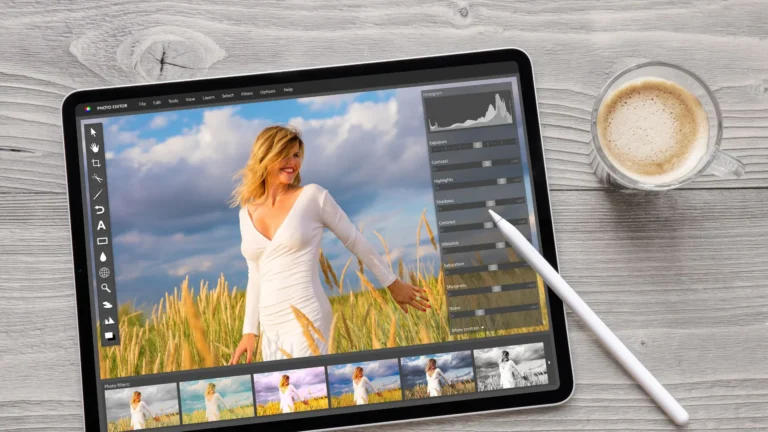
In jewelry photography, precision, sparkle, and fine detail presentation are extremely important. A good camera alone is not enough; the right jewelry retouching kit is essential to bring every photo to a truly professional standard. You can perfectly fix everything from dust and spots to color, sharpness, and background by using these retouching kits.
When you know which tool to use and where, the quality of your jewelry images will undoubtedly become high-end and visually appealing. From physical cleaning tools to advanced digital software, this section covers all the essential kits and how they are used in jewelry photo retouching.
Physical retouching kits (for cleaning)
Microfiber Cloths: Microfiber cloths gently clean and maintain valuable jewelry, delivering flawless results. This fiber effectively traps dust, oils, and grime, often working with just water. It is durable, reusable, highly absorbent, cost-effective, and environmentally friendly.
Soft Brushes: Soft brushes are used to remove dust and grime from jewelry. Their fine bristles safely reach intricate designs and small spaces for thorough cleaning.
Air Blower (Dust Blower): An air blower gently removes dust, dirt, and polishing compounds from jewelry without causing any damage. Its fine nozzle helps clean intricate designs and small crevices. It is a versatile, eco-friendly, and safe jewelry retouching kit for jewelry, watches, and lenses.
Cleaning Solution: Jewelry can be cleaned by soaking it in warm water with mild dish soap and gently brushing it. A mixture of white vinegar and baking soda works well for removing heavy tarnish or discoloration from sterling silver. After cleaning, rinse thoroughly and dry with a soft cloth so the jewelry looks bright and polished in photos.
Pen Tablets: Pen tablets are essential for professional jewelry retouching, allowing precise work such as clipping paths, masking, and dodge and burn. Brands like Wacom, Xencelabs, and Huion offer a range of budget-friendly pen displays and tablets. You should consider pressure sensitivity, size, ergonomic design, and software compatibility to choose a tablet.
Anti-static Gloves: Anti-static (ESD) gloves are extremely important in jewelry photography because they protect the surface of the jewelry. These gloves keep the jewelry clean, safe, and suitable for high-quality retouching.
Digital Retouching kits (for photo enhancement)
Presets: Presets in digital retouching kits save time and improve efficiency by applying complex edits with a single click. This ensures consistency across photos, helping maintain a uniform style or brand aesthetic. Presets are easily accessible for both beginners and professionals, helping them focus more on creativity.
Photoshop Actions: Photoshop actions are essential for automating repetitive tasks, saving time, and increasing efficiency. Actions ensure consistency and professional-quality results across multiple images by applying the same adjustments. These also serve as learning tools and enable workflow standardization. Specialized and non-destructive actions provide flexibility, allowing users to experiment with different effects.
Brushes: These digital retouching kits can make adjustments to specific areas without affecting the entire image. Brushes enable targeted corrections, mimic traditional art techniques, and non-destructive editing. These kits provide versatility with customizable shapes, sizes, and opacity.
Overlays: This jewelry retouching kit helps efficiently add complex visual elements, lighting corrections, and atmospheric effects. It creates texture and depth in images, such as sunlight flares, bokeh, fog, or grunge, enhancing the photo’s mood and aesthetic. Overlays help photographers maintain a consistent style across different types of images.
LUTs (Color Lookup Tables): LUTs help apply complex color grades and stylistic effects quickly and efficiently. They save time by applying precise color adjustments in a single click, speeding up post-production for large batches of images. LUTs provide a consistent visual style across photos, even under different lighting conditions.
Download Jewelry Retouching Software
Adobe Photoshop: Adobe Photoshop provides precise, pixel-level editing, advanced color correction, and layer-based flexibility. It helps retouchers control reflections, shadows, and intricate details. Photoshop’s tools help make diamonds, metals, and gemstones look vibrant and true-to-life. Its tools also enable perfect backgrounds and professional composition that meet e-commerce standards.
Adobe Lightroom: Adobe Lightroom provides powerful tools for color correction, detail enhancement, and blemish removal. Its batch editing feature ensures consistent adjustments across multiple images, saving time for product photography. Lightroom allows users to experiment with different edits without altering the original image. Precise white balance and color correction tools make gemstones and metals look vibrant and true-to-life. Lightroom’s support for RAW files offers maximum flexibility and ensures high-quality images.
GIMP: GIMP is a powerful, free alternative to Photoshop for budget-conscious users and hobbyist photographers. This software provides essential tools for jewelry retouching, such as Clone Stamp, Healing Tools, layer masks, and color correction. GIMP also supports manual background removal, clipping paths, and third-party plugins.
Capture One: Capture One is essential for advanced RAW photo processing, precise color control, and detailed adjustments. It allows for perfect enhancement of metal shine, gem clarity, and intricate details. The software speeds up editing even for high-resolution macro shots with its integrated workflow, including tethering and built-in retouching tools. Capture One produces professional, flawless jewelry images that enhance brand credibility and boost sales.
Common Tasks with Retouching Kits
Jewelry retouching kits are essential for professional photo editing. These kits help adjust specific natural and creative elements within an image, enhancing its overall quality and visual appeal. They are widely used in portrait photography, commercial product photography, and general photo enhancement.
For Portrait Photography
Retouching kits are highly effective for improving facial features while preserving natural skin texture. Portrait retouching includes removing blemishes or acne, correcting skin imperfections, and maintaining realistic texture. Digital makeup application is also possible—such as adjusting lipstick color or changing eyeshadow shades.
For Product & Commercial Photography
In commercial photography, retouching kits play a crucial role in presenting products professionally. They help clean dust, scratches, fingerprints, and other imperfections, resulting in a high-quality and polished background. Shape correction tools fix lens distortion or misalignment to ensure the product looks symmetrical and accurate.
Efficiency & Professional Quality
Modern retouching kits come with AI-assisted tools that automate repetitive tasks, saving time and allowing editors to focus on creative work. These kits maintain consistency across multiple images, enhancing the product’s visual appeal. With features like dodging and burning, color grading, and selective sharpening or blurring, retouching kits help control focus, depth, and the overall aesthetics of an image with precision.
Conclusion:
A complete jewelry retouching kit is essential for producing high-quality, clean, and professional images. Physical tools help keep the jewelry neat and spotless before shooting. Digital retouching kits and software perfect the colors, textures, sharpness, background, and fine details in the photos. Modern AI-assisted tools increase workflow speed, maintain consistency, and enhance the visual quality of the product image. The right retouching software—such as Photoshop, Lightroom, Capture One, and physical tools will make your jewelry images even more appealing.















