

Selling jewelry online is tricky because buyers cannot hold the piece in their hand. They cannot check the weight of a ring, try a necklace in front of a mirror, or move a diamond under light to see its real sparkle. So, your photos have to do most of the selling.
That is where professional jewelry photography for e-commerce brands makes a real difference. A good product photo shows the stone detail, metal color, shine, size, and finish clearly. More importantly, it helps buyers feel that the piece is real, well-made, and worth the price.
For example, a gold ring can look cheap if the lighting makes it too yellow. A diamond can look flat if the reflection is not controlled. Even a small shadow mistake can make the product look less clean on a Shopify, Amazon, or Etsy product page.
This guide explains what good jewelry product photography should include, what mistakes to avoid, and when hiring a professional photographer is the smarter choice.
What Is Professional Jewelry Photography?
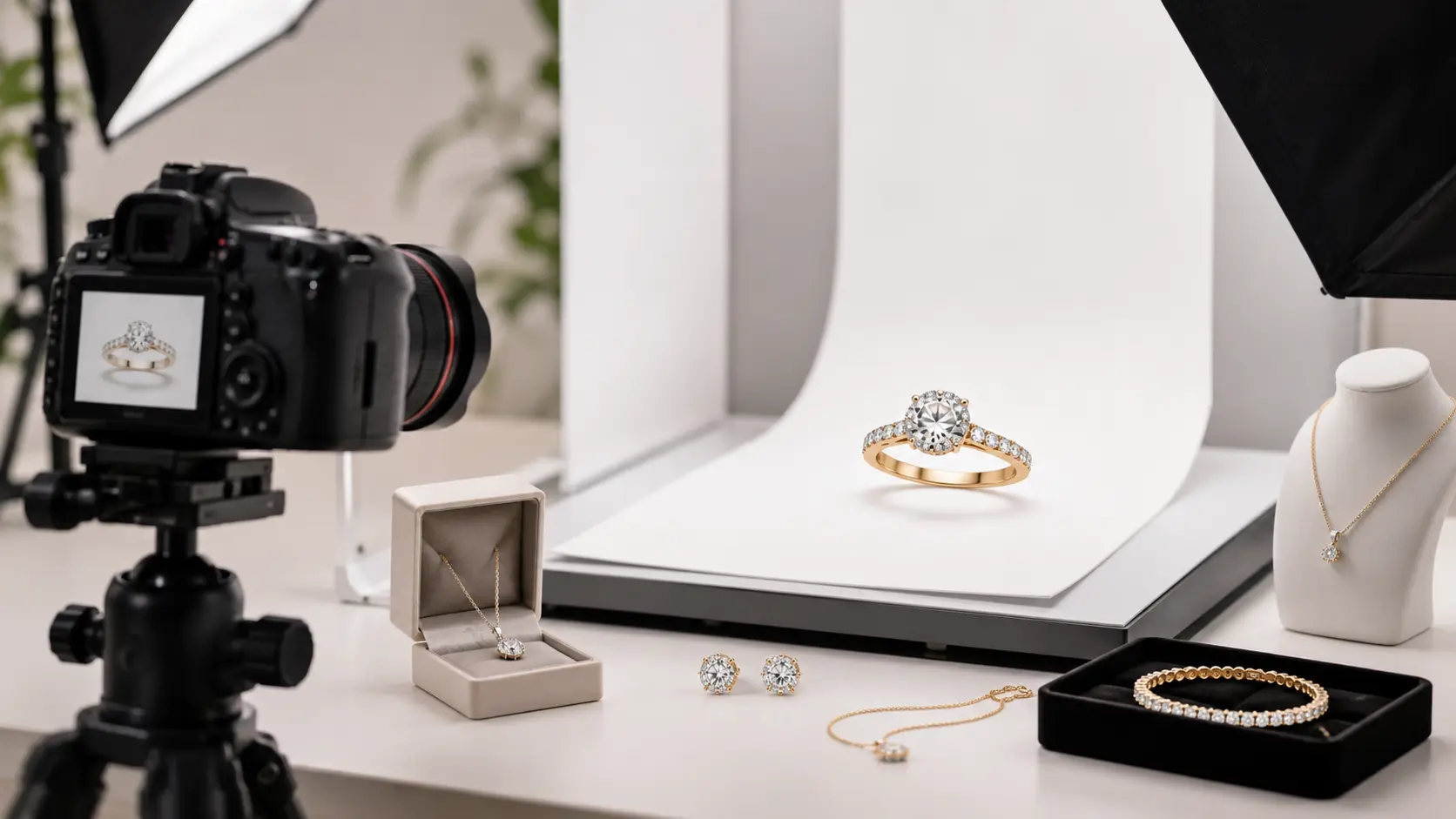
Professional jewelry photography is the process of shooting jewelry so it looks clear, sharp, and true to the real piece. For an online store, that matters a lot. A buyer may zoom in on a ring, compare the metal color, or check the stone setting before adding it to cart.
It is not just a camera job. The photographer has to manage lighting, styling, angles, reflection, color correction, and retouching. For example, a small diamond ring can look dull if the light is too flat. A gold bracelet can also look cheaper than it is if the color turns too yellow.
For e-commerce, the final images also need the right format. A Shopify product page, Amazon listing, Etsy shop, and Instagram ad may all need different image sizes, crops, or backgrounds.
Why Jewelry Photography Is Different From Regular Product Photography
Jewelry is difficult because it is small, shiny, and full of fine details. With many products, you can place the item near a window and still get a decent result. With jewelry, that usually does not work.
Metals reflect almost everything around them. Silver can pick up dark shapes from the room. Gold can look too warm. Diamonds and gemstones can lose their sparkle if the light does not hit them the right way.
There is also little room for mistakes. Dust, fingerprints, scratches, uneven shadows, and poor focus show up fast in close-up shots. That is why professional jewelry product photography often needs controlled lighting, macro photography, careful styling, and clean retouching.
What Professional Jewelry Photography Usually Includes
Most e-commerce jewelry photography projects include more than one image type. A clean white background shot usually works as the main product photo because it keeps the focus on the item and fits Shopify, Amazon, Etsy, and Google Shopping.
Close-up shots show diamond sparkle, gemstone detail, prongs, clasps, chain texture, engraving, and metal finish. Lifestyle photos add mood, while model shots help buyers understand length, fit, and scale.
Scale shots are also useful because small earrings, pendants, and thin rings can look bigger online than they really are. After the shoot, a photo editor may remove dust, fix the background, adjust color, control reflections, and add a natural shadow. The goal is simple: make the jewelry look clean and accurate, not fake.
Why Jewelry Photography Matters for E-Commerce Brands
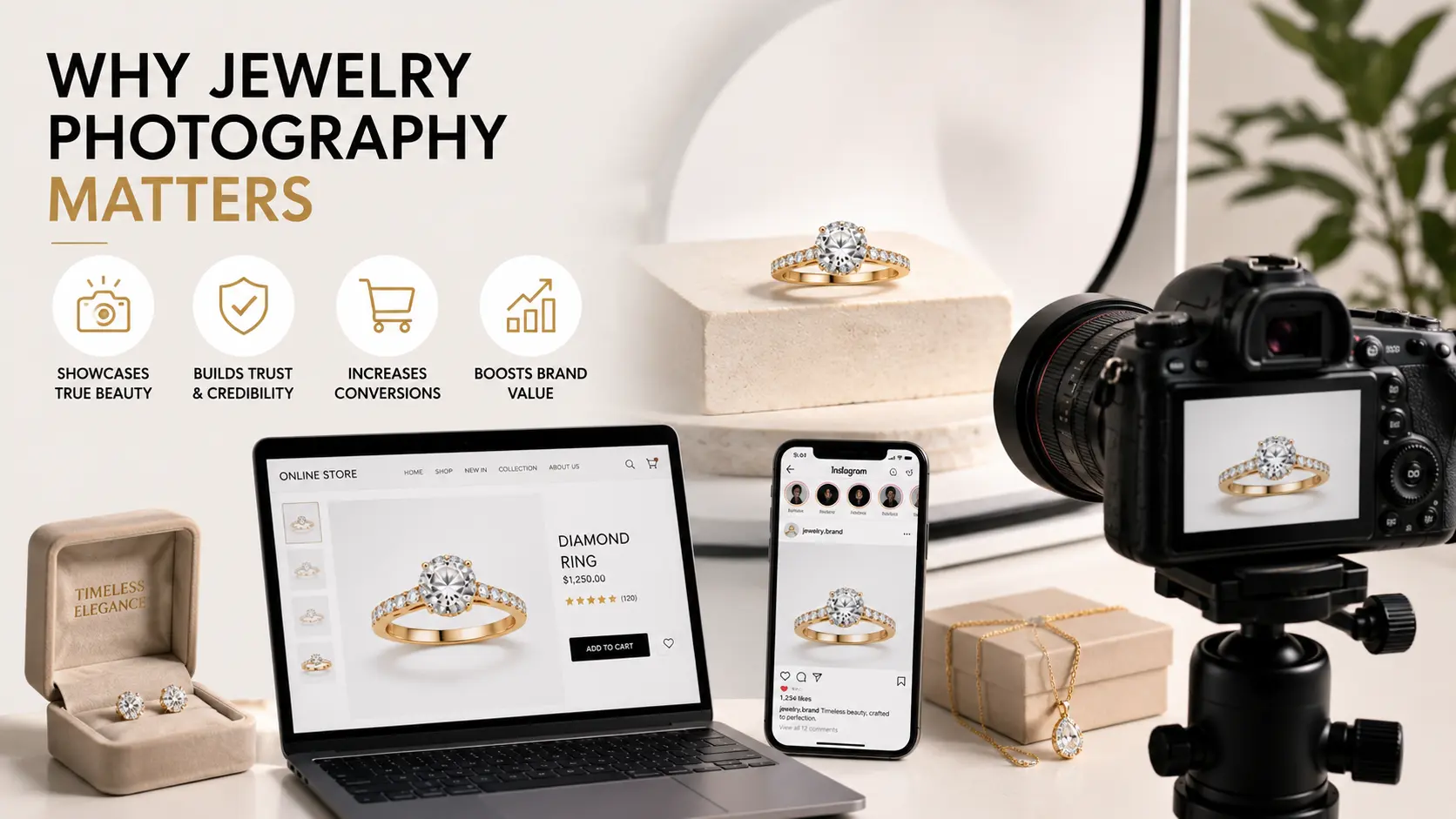
A jewelry buyer studies photos more than many store owners realize. They zoom in on the stone, check the band thickness, compare the gold tone, and look for small signs of quality. Since they cannot hold the piece, the photo has to answer those questions before they feel ready to buy.
It Builds Buyer Trust
Good jewelry product photography makes the product feel less risky. A clear image shows the stone setting, clasp, polish, chain texture, and metal finish without making the buyer guess. For example, if a ring photo looks blurry around the prongs, a customer may wonder if the setting is poorly made. However, sharp and consistent images make a Shopify, Amazon, or Etsy store feel more careful and trustworthy.
It Makes Jewelry Look More Premium
Jewelry can look expensive or cheap depending on the photo. A gold ring photographed under poor light may look too yellow. A silver bracelet can look gray and flat. With clean lighting, sharp focus, and controlled reflection, professional jewelry photography shows the real shine, shape, and finish of the piece. The goal is not to over-edit it. The goal is to make the jewelry look as polished online as it does in hand.
It Supports Better Conversions
Most shoppers compare several jewelry products before choosing one. A clean main image can get the click, but the detail photos often help close the sale. Close-ups, side angles, model shots, and scale photos remove small doubts. For example, a buyer may hesitate over a pendant until they see how it sits on a model’s neckline. That one extra image can make the decision easier.
It Can Reduce Returns
Many jewelry returns happen because the item looked different online. Maybe the earrings were smaller than expected, or the rose gold looked warmer in the photo. Accurate e-commerce jewelry photography helps reduce that gap. Scale shots, close-ups, model photos, and correct color editing give buyers a better idea of what will arrive. Good photos should make the product look clean, but they should never make it look like a different piece.
Key Types of Jewelry Photos Your Online Store Needs
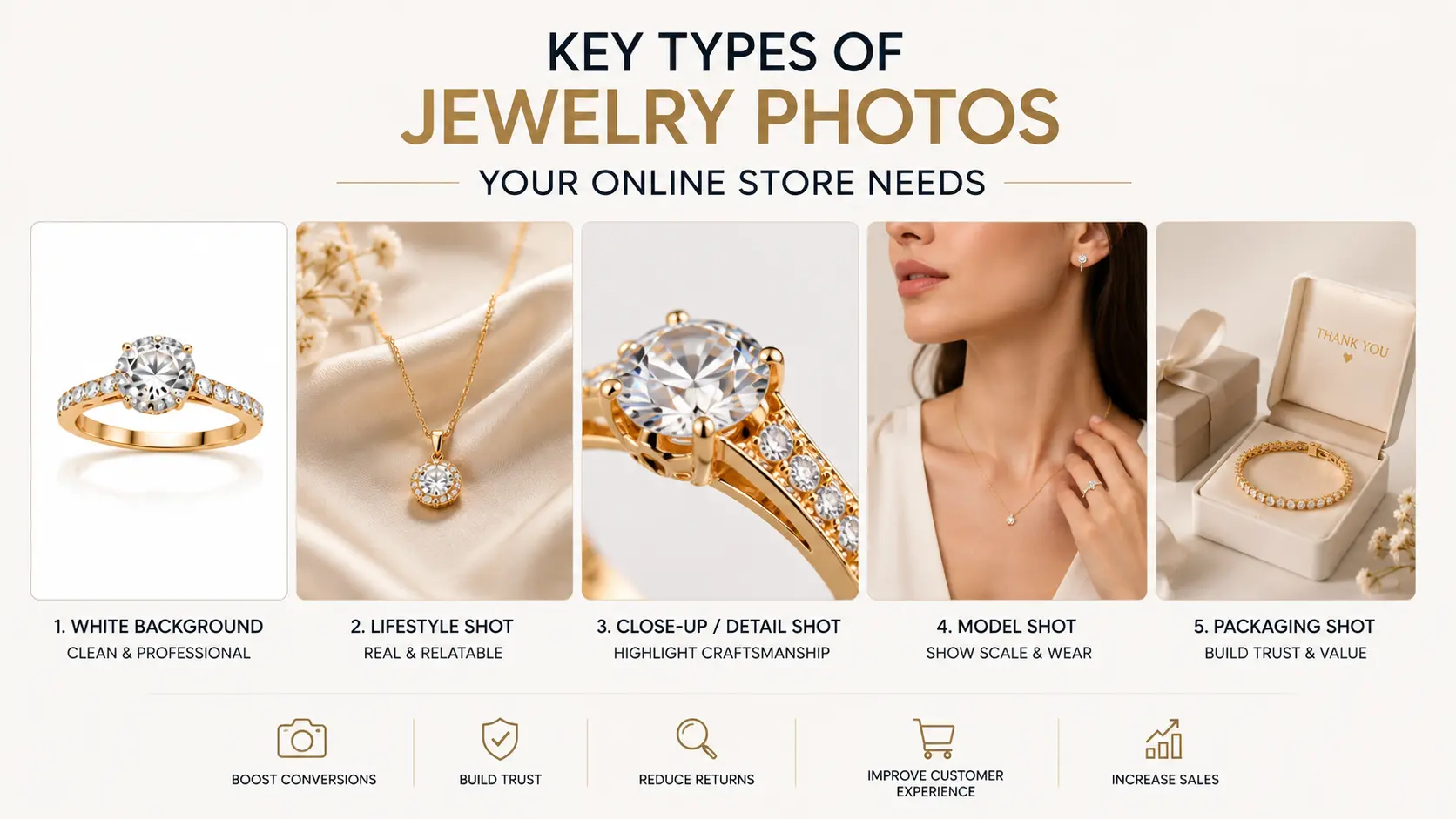
One product photo is rarely enough for jewelry. A front-facing image may look clean, but it does not always show the real size, clasp, stone setting, or how the piece sits when worn. For a serious online store, each product needs a small photo set, not just one nice hero image.
White Background Product Photos
The white background shot is usually the main product image. It works well for Shopify, Amazon, Etsy, and Google Shopping because the buyer sees the jewelry without props or styling getting in the way. Still, a white background photo can go wrong fast. If the lighting is too hard, a gold ring may look flat, and silver jewelry may pick up gray shadows.
Close-Up Detail Shots
Close-up detail shots are where buyers inspect the product. For rings, that may mean the diamond, prongs, side profile, and band texture. For necklaces or bracelets, it may mean the clasp, chain links, pendant detail, engraving, or metal finish. These shots matter because small details often decide whether the product feels well-made or average.
Lifestyle Jewelry Photos
Lifestyle jewelry photos give the product a setting. A ring on soft fabric, earrings beside a perfume bottle, or a bracelet styled on a dresser can make the piece feel more giftable or premium. However, the styling should stay quiet. If the props look more interesting than the jewelry, the photo is doing too much.
Model or Hand Shots
Model and hand shots answer one simple question: “How will this look on me?” A close-up ring photo can make the ring look larger than it is. A hand shot gives the buyer a better sense of scale. For necklaces, model photos show chain length. For earrings, they show drop size and how the piece frames the face.
360-Degree or Video Views
360-degree images and short videos are optional, but they can help with higher-priced jewelry. A video can show diamond sparkle, metal shine, and side details better than a still photo. For luxury jewelry brands, this extra view can make the product feel more real before the buyer spends a large amount online.
What Makes a Jewelry Photo Look Professional?
A professional jewelry photo does not just look bright. It shows the piece clearly without making it look fake. The buyer should be able to see the color, shine, shape, stone detail, and finish without guessing.
Small issues matter here. A soft focus, yellow gold tone, harsh reflection, or messy background can make even a beautiful ring look average online.
Sharp Focus
Jewelry photos need sharp focus because buyers often zoom in before they buy. They may check the prongs on a ring, the clasp on a necklace, or the links on a bracelet. If those details look blurry, the product can feel less trustworthy. This is why macro photography is so common in professional jewelry photography.
Clean and Controlled Lighting
Lighting can make or break a jewelry image. Direct flash usually creates harsh glare, while flat lighting can make diamonds and gemstones look lifeless. Soft, controlled lighting works better because it shows shape, shine, and texture without washing out the product.
Accurate Color
Color needs to stay close to the real piece. Gold should not look too orange. Silver should not look dark gray. Rose gold should keep its soft pink tone, and platinum should look clean, not dull. The same rule applies to diamonds and colored gemstones. If the color looks different after delivery, the customer may lose trust.
Reflection and Glare Control
Jewelry reflects almost everything around it. A shiny ring can pick up the camera, lights, table, room color, or even the photographer’s dark shirt. That is why reflection control matters so much in jewelry product photography. Good photographers fix most of this during the shoot, not only in retouching.
Natural Sparkle
Diamonds and gemstones should sparkle, but they should not look overedited. Too much shine can make the stone look fake. Too little light can make it look dull. A good photo keeps the sparkle natural, so the jewelry looks attractive but still believable.
Consistent Background and Framing
A product page looks more professional when every image follows the same style. The crop, angle, background, shadow, and spacing should feel consistent across the store. For Shopify, Amazon, Etsy, and catalog pages, this makes the collection easier to browse and compare.
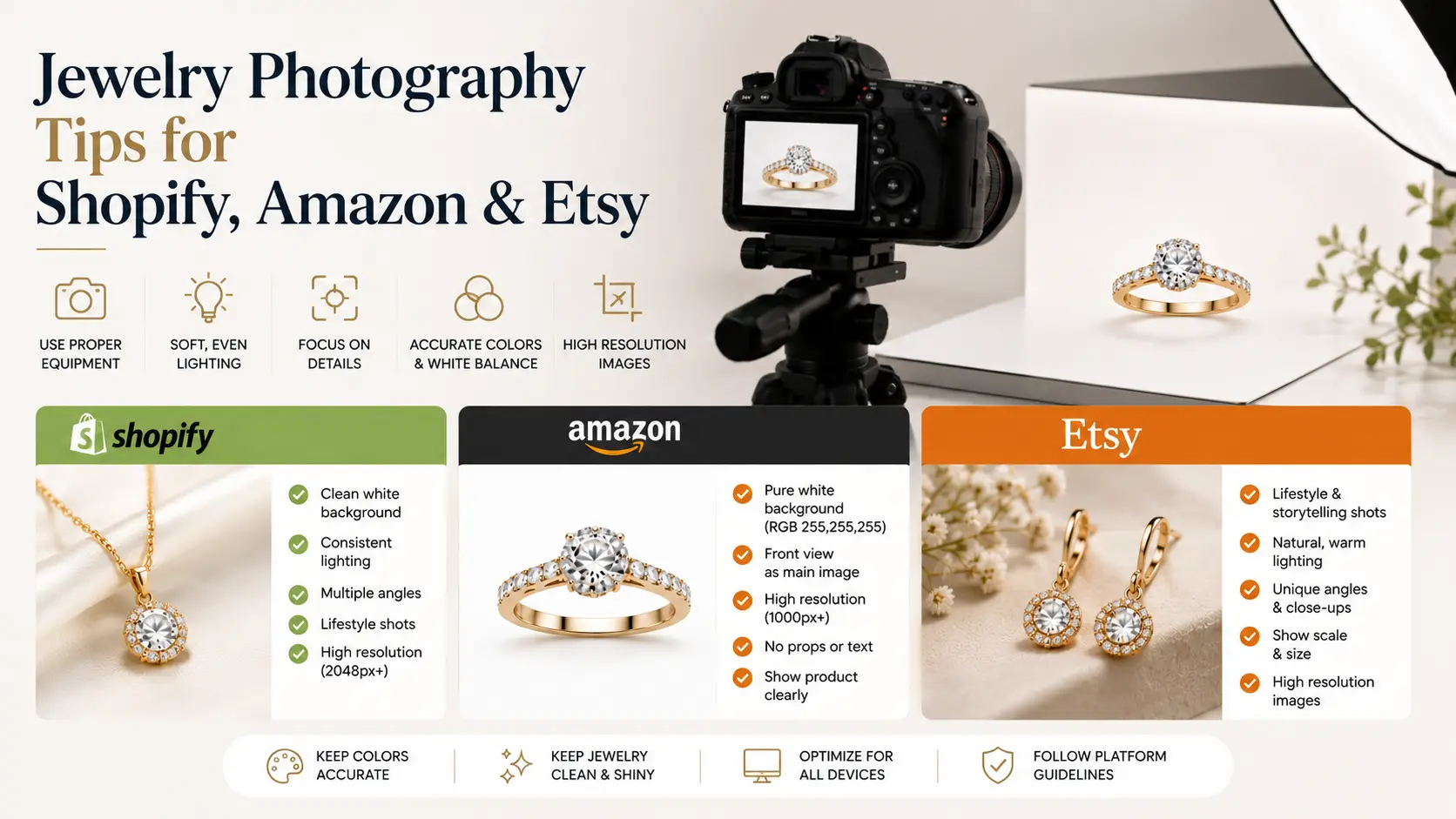
Jewelry Photography Tips for Shopify, Amazon, and Etsy
The same jewelry photo set will not always work equally well on every platform. Shopify gives you more room to build a brand look. Amazon needs clean, quick product clarity. Etsy usually works better when the photos feel personal, handmade, and closer to the maker’s style.
Shopify Jewelry Photography Tips
For Shopify, think beyond the main product image. Your product page needs sharp close-ups, zoom-ready detail shots, and a few lifestyle images that match your brand style. Also, check the collection page. If every ring, necklace, or bracelet has a different crop and background, the store starts to look messy, even if the products are good.
Amazon Jewelry Photography Tips
Amazon jewelry photos should be simple and clear. The main image should usually show the product on a clean white background, without props or busy styling. After that, use close-ups to show the stone, clasp, chain, size, and metal finish. Amazon shoppers compare fast, so the photo has to explain the product quickly.
Etsy Jewelry Photography Tips
Etsy photos can feel warmer than Amazon photos. If the piece is handmade, show the texture, engraving, packaging, or small design details that make it feel special. Lifestyle shots also work well here. For example, a necklace on soft fabric or earrings shown beside a gift box can help buyers picture it as a personal purchase or gift.
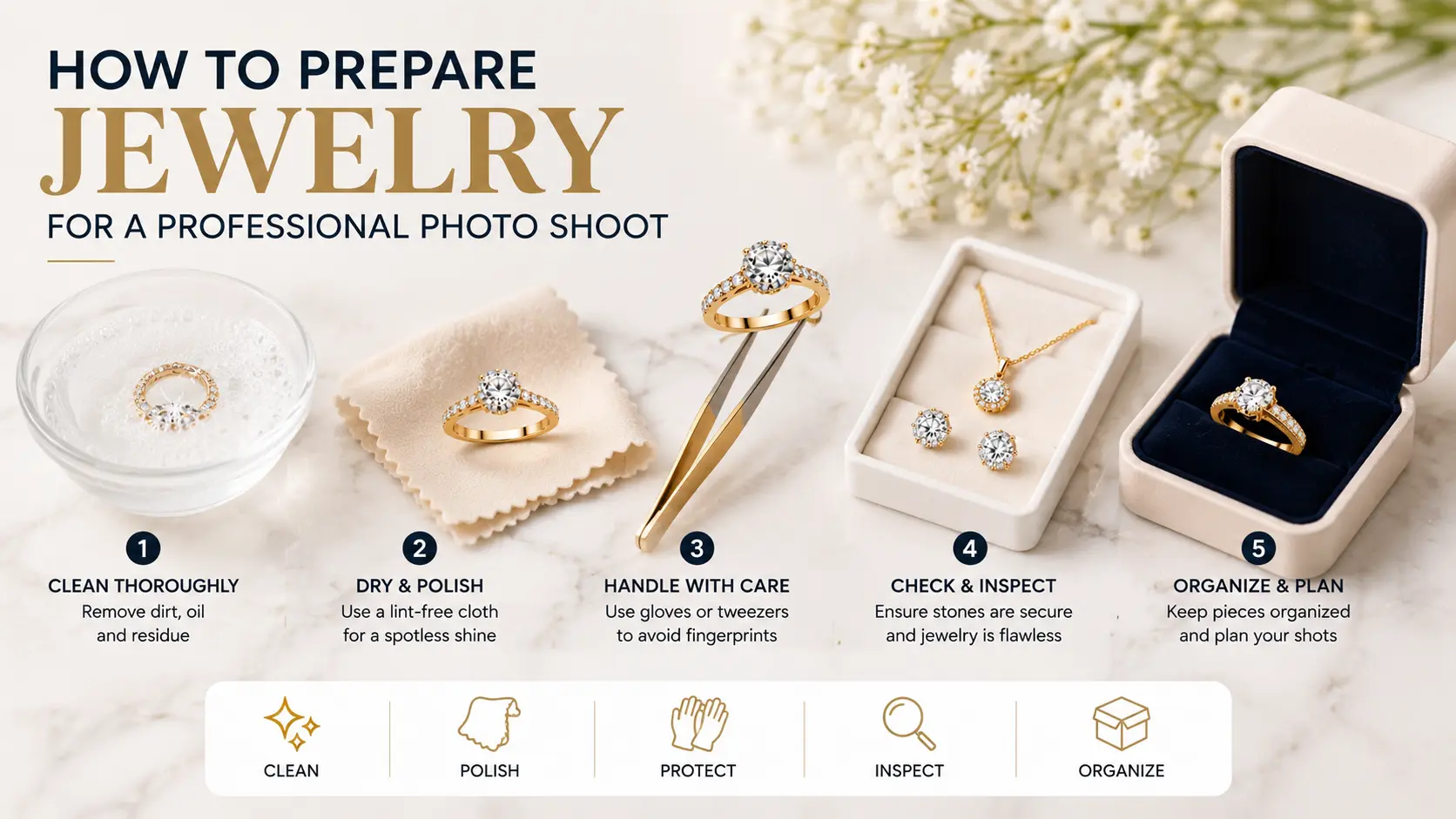
How to Prepare Jewelry for a Professional Photo Shoot
Jewelry photos often fail because of small things no one noticed before the shoot. A fingerprint on a ring, a loose chain, or a dusty stone may look minor in hand, but the camera will catch it. So, a little prep before the shoot can save a lot of editing later.
Clean and Polish Every Piece
Clean every piece before it goes near the camera. Dust, fingerprints, tarnish, and tiny marks show up fast in close-up jewelry photos. This is especially true for gold, silver, diamonds, and polished gemstones. Keep a microfiber cloth nearby too, because jewelry can pick up fingerprints again while being moved or styled.
Create a Shot List
Do not rely on memory during the shoot. Make a simple shot list for each product: front view, side view, close-up, scale shot, lifestyle shot, and packaging shot. For example, a ring may need a prong close-up, while a necklace may need a clasp photo and a chain-length shot. This keeps the shoot organized and helps avoid missing important product details.
Organize Products by Collection
Sort the jewelry before the photographer starts. You can group pieces by collection, category, metal type, stone type, or campaign. For example, shoot all rose gold rings together, then move to silver earrings or bridal jewelry. This makes the process faster and keeps the lighting, styling, and background more consistent.
Share Brand Guidelines
Send the photographer your brand direction before the shoot. Share the mood, colors, target customer, platform needs, and a few image examples you like. A luxury diamond brand may need clean, minimal photos. However, a handmade Etsy shop may need warmer lifestyle shots with softer styling. The clearer the direction, the less guesswork there is on shoot day.
Jewelry Photo Retouching and Editing
Jewelry almost always needs some editing after the shoot. Not because the product is bad, but because close-up photos show everything. A tiny fingerprint on gold, dust near a diamond, or a small scratch on polished silver can look much bigger once the image is zoomed in on a product page.
Retouching is part of professional jewelry photography, but it has to stay honest. The photo should look cleaner, not like a different piece.
Common Jewelry Retouching Tasks
Most jewelry retouching starts with cleanup. A photo editor may remove dust, fingerprints, loose fibers, small scratches, and marks from the metal or stones. They may also clean the background, soften harsh shadows, polish dull metal, and bring out gemstone detail.
For example, a diamond ring may need small prong cleanup and light sparkle correction. A silver bracelet may need reflection control so it does not look gray or messy. These edits help buyers focus on the design instead of small distractions.
Why Retouching Should Look Natural
Jewelry editing should improve the image, but it should not oversell the product. If a rose gold ring is edited until it looks deep orange, the buyer may feel misled when it arrives. If a diamond gets too much fake sparkle, it can start to look cheap instead of premium.
A good editor keeps the real color, shape, stone detail, and metal texture intact. The image should feel polished, but still believable.
How Consistent Editing Helps Branding
Consistent editing makes the whole store feel cleaner. The brightness, crop, background, shadow, and color tone should look similar from one product to the next. This matters a lot on Shopify collection pages, Amazon listings, Etsy shops, and brand catalogs.
For example, if one ring photo looks bright white and the next looks yellow-gray, the collection feels uneven. Consistent jewelry photo editing makes the store easier to browse and gives the brand a more careful, professional look.
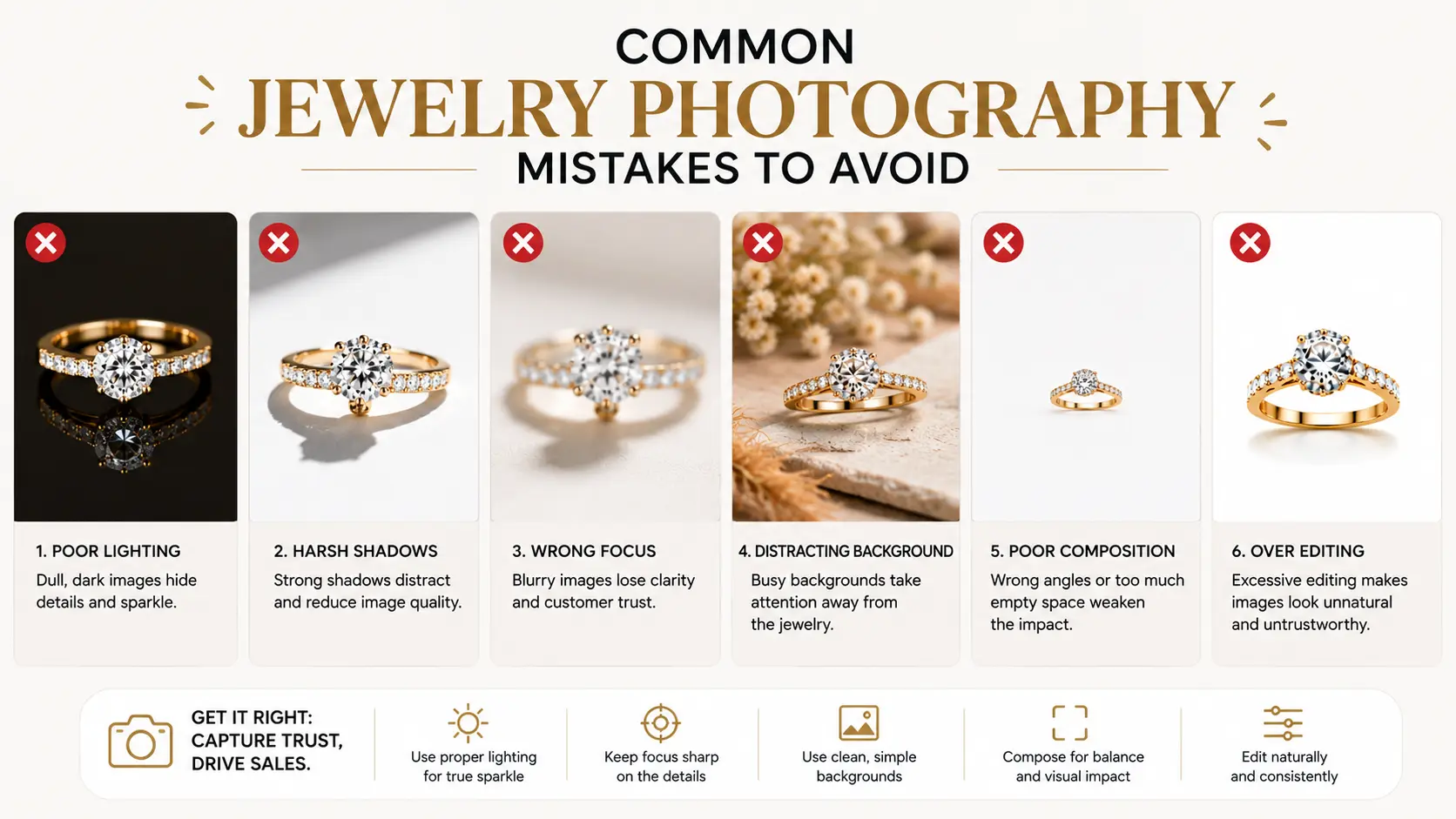
Common Jewelry Photography Mistakes to Avoid
Jewelry photos can go wrong in small ways. The product may be beautiful in hand, but one bad light, wrong color edit, or missing scale shot can make it look cheap online. Before uploading images to your store, check these common mistakes.
Harsh Lighting
Direct flash or strong light can create ugly glare on metal and stones. It can also hide prongs, engraving, chain texture, or gemstone detail. Soft lighting usually works better because it shows the shape and shine without making the jewelry look washed out.
Inaccurate Product Color
Color mistakes cause real problems after the order arrives. If rose gold looks orange, silver looks dark gray, or a gemstone looks brighter than it really is, buyers may feel misled. This is one of those issues that can lead to returns, not just bad-looking photos.
Overediting Diamonds or Gemstones
A diamond should sparkle, but it should not look like a cartoon effect. Too much glow, contrast, or fake shine can make the stone look cheaper instead of better. Good editing keeps the sparkle clean, bright, and believable.
No Scale Photos
Close-up shots can make small jewelry look larger than it is. That is risky for tiny studs, thin rings, pendants, and delicate bracelets. A hand shot, model photo, or simple scale image helps buyers understand the real size before they buy.
Inconsistent Image Style
Mixed photo styles make a store feel less organized. One product may have a white background, another may have a warm lifestyle setup, and another may be cropped too close. A little variety is fine, but the main product photos should look like they belong to the same brand.
Uploading Large, Slow Images
Large image files can slow down product pages, especially on mobile. That matters because jewelry shoppers often zoom, swipe, and compare several products. Compress images before uploading, but keep enough quality so the metal, stones, and fine details still look sharp.
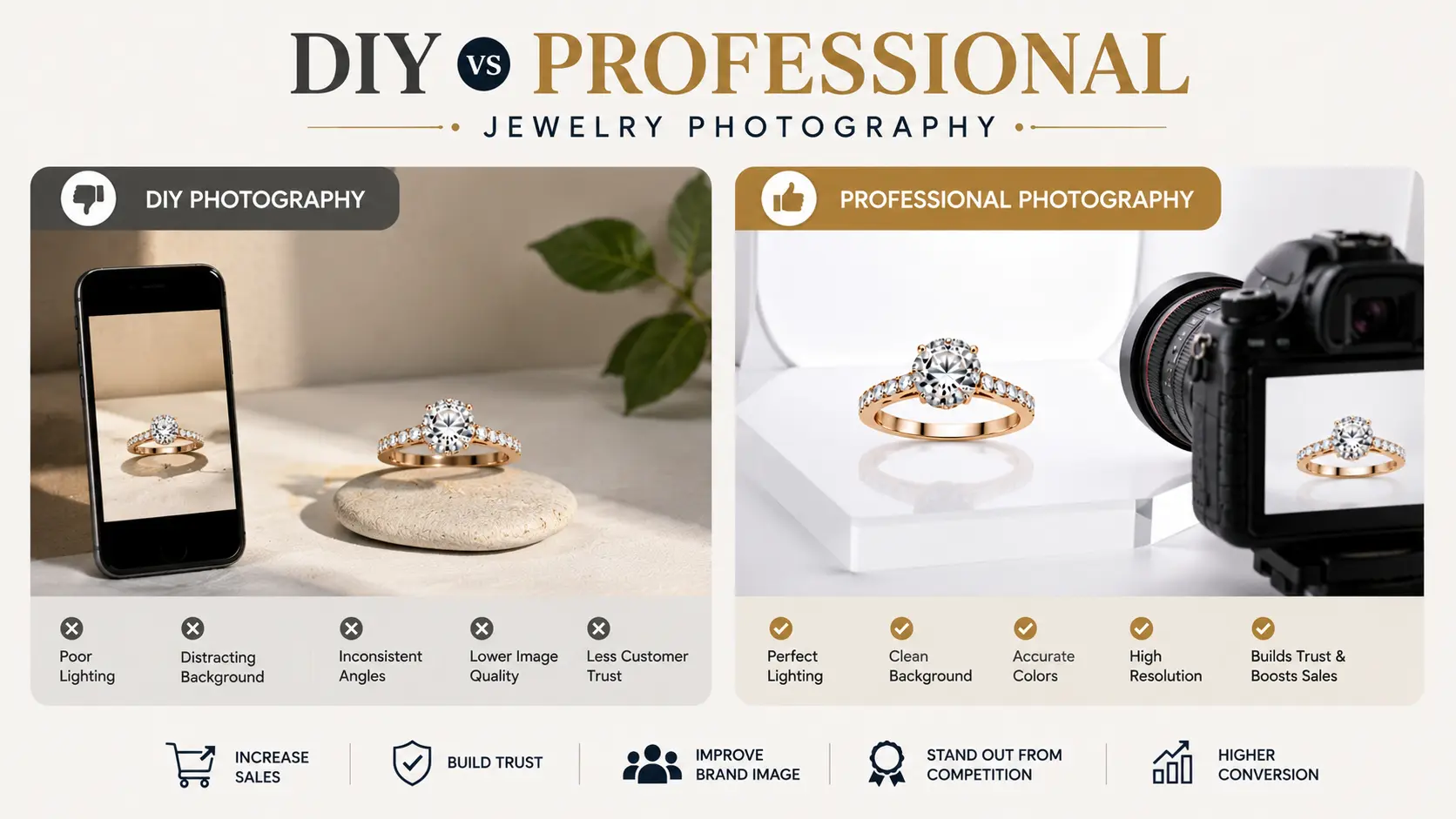
DIY vs Professional Jewelry Photography
DIY jewelry photography is not always a bad idea. Some brands start that way, especially when the catalog is small and the budget is tight. The real question is not “DIY or professional?” The better question is: where will the photos be used, and how much do they affect the sale?
When DIY Jewelry Photography Can Work
DIY photos can work for early-stage stores, small Etsy shops, quick social media posts, or simple product testing. For example, a handmade earring seller may start with soft window light, a clean background, and a phone camera that focuses well. That can be enough in the beginning. Still, the photos need to show the real color, size, and detail. A basic photo is okay. A misleading photo is not.
When to Hire a Professional Photographer
Professional jewelry photography becomes more important when the product price is higher or the brand needs a polished look. Diamond rings, fine gold pieces, gemstone jewelry, bridal collections, and luxury products usually need controlled lighting, macro detail, and careful retouching. A professional shoot also makes sense for large catalogs, paid ads, brand campaigns, Amazon launches, or Shopify product pages where the images need to work harder.
What to Check Before Hiring a Photographer
Before hiring a photographer, check if they have real jewelry experience. A food or clothing photographer may be talented, but jewelry brings different problems: reflections, tiny details, sparkle, and color accuracy. Look at their portfolio closely. Check the lighting, sharpness, retouching quality, pricing, turnaround time, and usage rights. Also ask where you can use the final images, such as Shopify, Amazon, Etsy, ads, social media, or print. That detail matters more than many brands realize.
Jewelry Photography Checklist for E-Commerce Brands
Before you publish your jewelry photos, check these basics once. Small issues like wrong color, missing close-ups, or slow image files can affect how buyers see the product.
Before the Shoot
- Clean every piece and check for dust, fingerprints, tarnish, or loose stones.
- Group products by collection, metal type, stone type, or campaign.
- Prepare a shot list: front view, side view, close-up, scale shot, lifestyle shot, and packaging shot.
- Share your brand mood, colors, target customer, and platform needs.
During the Shoot
- Use soft lighting and avoid harsh glare.
- Check color accuracy for gold, silver, rose gold, diamonds, and gemstones.
- Capture close-ups of prongs, clasps, chains, engraving, and metal texture.
- Keep background, crop, shadow, and framing consistent.
After the Shoot
- Retouch dust, marks, reflections, background issues, and shadows.
- Keep color, shape, and sparkle close to the real product.
- Compress images before uploading.
- Rename files clearly and add natural alt text.
- Check the final photos on desktop and mobile before publishing.
Frequently Asked Questions
What is professional jewelry photography?
Professional jewelry photography is the process of capturing jewelry with proper lighting, sharp focus, clean backgrounds, accurate color, and professional editing for online stores.
Why is jewelry photography important for e-commerce brands?
Jewelry photography is important because online shoppers cannot touch or try the product. Clear images help them understand quality, size, color, shine, and detail.
What types of jewelry photos do online stores need?
Most online stores need white background photos, close-up detail shots, lifestyle images, model or hand shots, scale photos, and sometimes product videos or 360-degree views.
Can I take jewelry photos myself?
Yes, you can take jewelry photos yourself if you have a small catalog and basic products. But professional photography is better for luxury jewelry, diamonds, gemstones, ads, and high-end product pages.
How do you make jewelry look shiny in photos?
Jewelry looks shiny when it is clean, well-lit, sharply focused, and edited carefully. Good lighting and reflection control are more important than heavy editing.
Do jewelry photos need retouching?
Yes. Most jewelry photos need retouching because close-up images can show dust, fingerprints, scratches, glare, and small imperfections.
What is the best background for jewelry photography?
A white or light neutral background is best for most e-commerce product images. Lifestyle backgrounds work well for ads, social media, and brand storytelling.
How many photos should each jewelry product have?
A good jewelry product page should usually have 5 to 8 images, including a main product photo, close-up detail shots, scale photos, and lifestyle or model images.
Final Thoughts
Good jewelry photos do more than show a product. They help a buyer understand the piece without holding it in hand. The color, finish, scale, stone detail, and small design choices all become easier to judge.
For an e-commerce brand, that matters on every product page. A sharp, honest photo can make a simple ring look well-made. A dark, blurry, or overedited photo can make even a beautiful piece feel less valuable.
So, keep the photos clear, accurate, and consistent. Show the jewelry at its best, but do not make it look like a different product. That is the kind of image that earns trust before the buyer clicks “Add to cart.”















