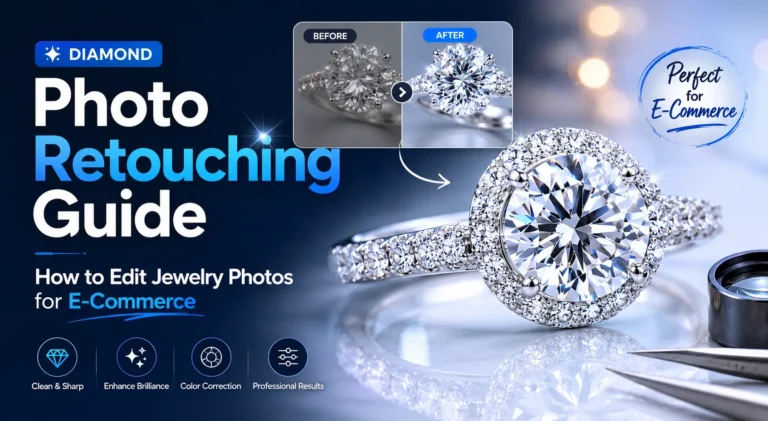
Raw jewelry photos usually look disappointing at first. Even expensive diamond rings can appear dark, flat, or slightly yellow in camera shots. Sometimes the metal catches too much reflection. Other times, tiny dust particles become visible after zooming in. This is very common in jewelry photography, especially with macro shots.
That is why diamond photo retouching is such an important part of e-commerce jewelry photography. Professional jewelry photo retouching helps editors remove reflections, clean small imperfections, improve gemstone sparkle, and create a more polished luxury finish. Most online jewelry brands also retouch their product photos before uploading them to Shopify, Amazon, or Etsy because raw camera files rarely look premium straight out of the shoot.
In this guide, you will learn how professional diamond jewelry editing works, which retouching techniques improve sparkle naturally, what common mistakes should be avoided, and how jewelry images are prepared for modern e-commerce stores.
What Is Diamond Photo Retouching?
Diamond photo retouching means cleaning and improving jewelry photos so they look polished, premium, and ready for e-commerce use. Editors usually fix dust, scratches, reflections, uneven shine, and dull-looking stones before the images go live on a website or marketplace.
This type of jewelry editing is much more detailed than regular product photo editing. In jewelry photography, cameras capture tiny imperfections very aggressively, especially in close-up shots. A small fingerprint on a gold ring or a little dust near the diamond can suddenly become very noticeable after zooming in.
Why Jewelry Photos Need Specialized Editing
Jewelry is one of the hardest products to photograph properly. Diamonds reflect light from multiple directions, so unwanted reflections often appear inside the stone or on the metal surface. Sometimes the ring even reflects parts of the camera or lighting setup.
Macro jewelry photography also creates another problem. It makes tiny scratches, lint, polishing marks, and uneven metal texture easier to see. Because of this, most professional jewelry brands retouch product images before uploading them to Shopify, Amazon, or Etsy.
Difference Between Basic Editing and High-End Retouching
Basic editing usually handles simple cleanup work. For example, an editor may remove the background, adjust brightness, or fix minor color problems using automatic tools.
High-end jewelry retouching is different. Editors manually work on the diamond, metal, shadow, and reflections in separate areas of the image. Instead of adding fake sparkle effects, experienced retouchers normally improve the natural shine that already exists in the original photo.
Why Diamond Photo Retouching Matters for E-Commerce
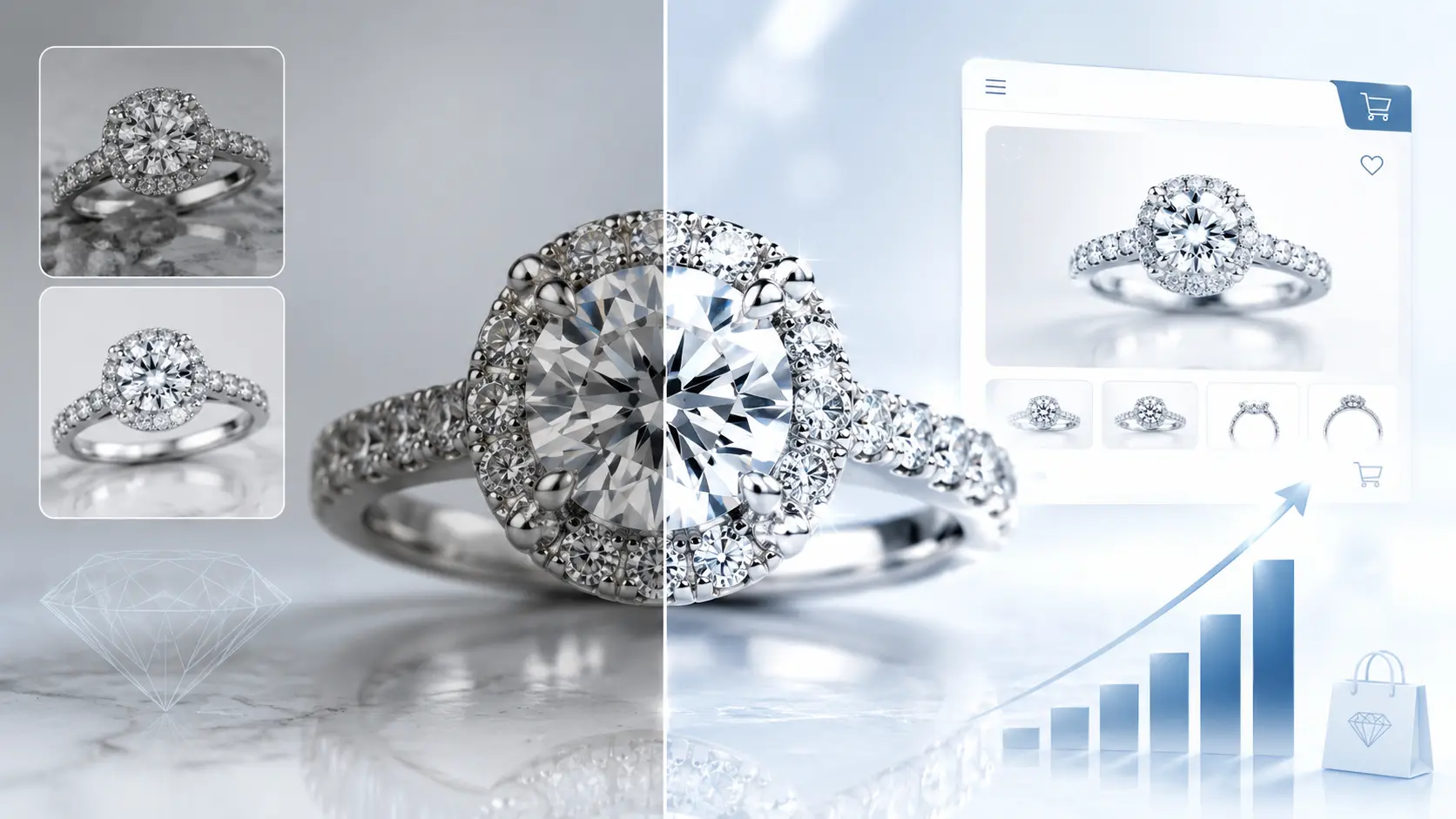
Jewelry buyers pay attention to photos more than almost any other product category. They zoom in, check the stone closely, look at the metal finish, and compare details before deciding to buy. If the image looks dull or poorly edited, the product can lose its premium feel very quickly.
That is one reason most serious jewelry brands invest heavily in professional jewelry photo retouching. Raw images rarely look polished enough for modern e-commerce stores, especially on marketplaces where customers compare dozens of products side by side.
Better Product Presentation Increases Sales
People usually notice the image before they read the product description. A bright, clean diamond photo naturally gets more attention than a dark or flat-looking image.
Even small editing improvements can make a difference. Cleaner reflections, sharper edges, and balanced sparkle often help the jewelry look more expensive and professionally photographed. That presentation matters a lot on Shopify product pages, Amazon listings, and jewelry ads.
High-Quality Images Build Customer Trust
Online buyers cannot inspect the jewelry in person, so they rely heavily on product photos. If they notice dust, scratches, strange reflections, or inconsistent colors, they may start questioning the product quality.
Clean and realistic jewelry images help remove that doubt. They also make the store look more reliable, especially when all product photos follow the same visual style.
Luxury Visuals Improve Brand Perception
Luxury jewelry needs luxury presentation. Even a high-quality diamond ring can look average if the editing feels cheap or overdone.
Professional diamond photo editing usually focuses on subtle improvements instead of heavy effects. Editors enhance shine carefully, control reflections, and keep the sparkle natural so the jewelry still looks believable.
Clean Images Reduce Product Returns
Customers expect the delivered product to match the photos they see online. Over-edited jewelry images sometimes create unrealistic expectations, especially when diamonds look brighter or larger than they actually are.
Good retouching avoids that problem. The image still looks polished, but the product details remain accurate. That balance helps customers feel more confident before placing an order.
Common Problems in Raw Jewelry Photos
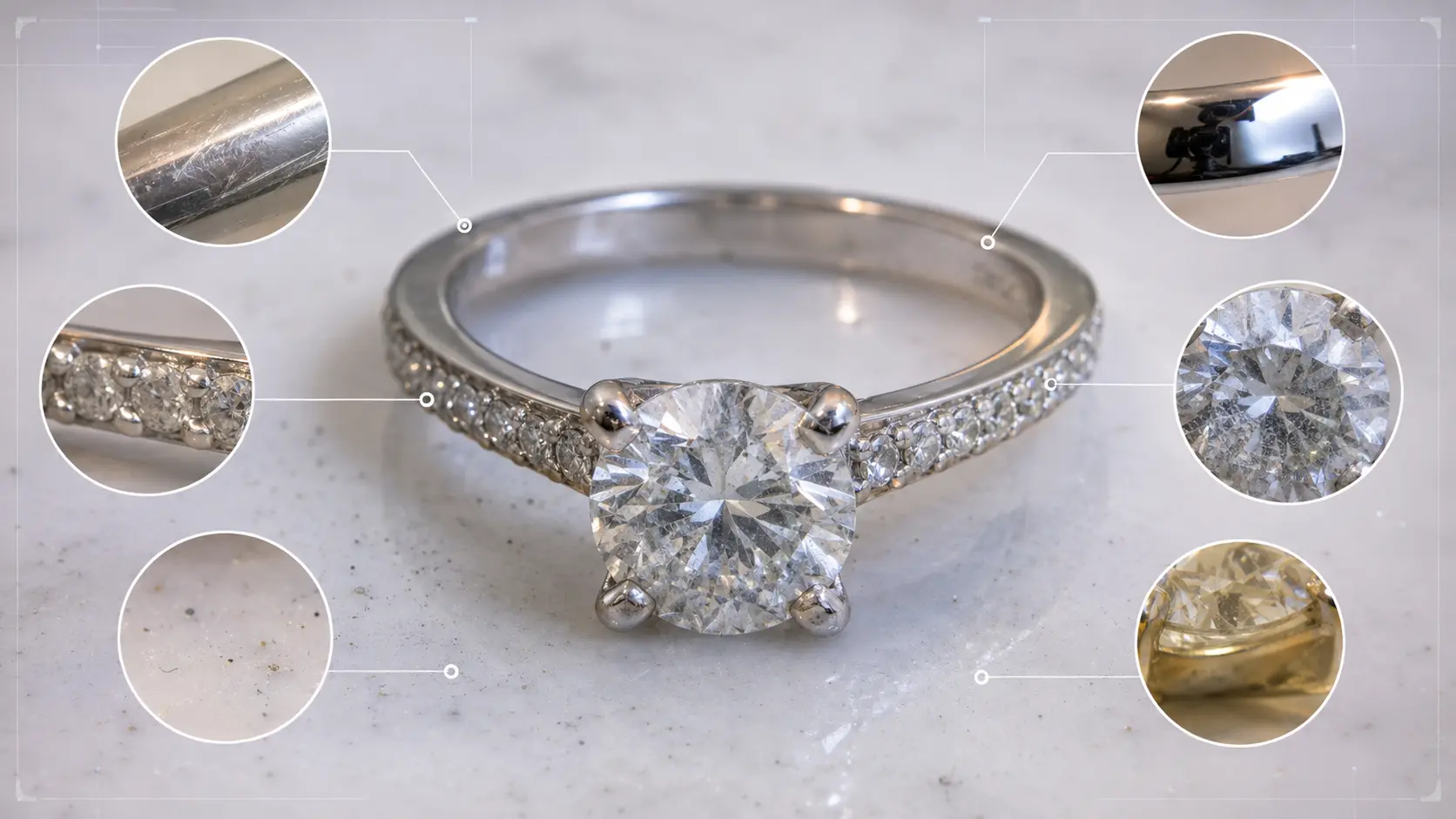
Raw jewelry photos often look rough before editing. That does not always mean the photographer did a bad job. Jewelry is just difficult to shoot.
Diamonds pick up light from many angles. Polished metal reflects almost everything around it. Also, macro shots make tiny marks look much bigger than they are in real life. So, even a well-shot ring usually needs some cleanup before it goes on a product page.
Dust, Scratches, and Fingerprints
Dust is almost impossible to avoid during jewelry shoots. A ring may look clean on the table, but after zooming in, small dust spots can appear around the stone, prongs, or band.
Fingerprints are another problem, especially on gold and silver surfaces. Even light handling can leave marks. In diamond jewelry editing, editors usually remove these small distractions one by one instead of blurring the whole area.
Poor Reflections and Harsh Highlights
Diamonds and polished metals reflect the studio setup very easily. Sometimes you can see dark shapes, light stands, or camera reflections inside the stone.
Harsh highlights can also wash out important details. For example, the edge of a ring may look too bright on one side and too dark on the other. Good retouching helps balance those areas without making the jewelry look fake.
Dull or Yellow Diamonds
A diamond can look bright in person but dull in the raw photo. This often happens when the light angle is not right or the surrounding color reflects into the stone.
White diamonds may also look slightly yellow, gray, or cloudy. A retoucher fixes this carefully because removing too much color can make the diamond look artificial.
Incorrect White Balance
White balance affects the whole image. If it is off, silver may look blue, gold may look too orange, and diamonds may lose their clean tone.
This is a real problem for e-commerce stores. When product images do not match, the collection page starts looking messy. Buyers may not know the technical reason, but they can feel that something looks inconsistent.
Uneven Shadows and Background Problems
Shadows can make or break a jewelry photo. A soft shadow can add depth, but a heavy shadow can make the product look dark and cheap.
Background problems are also common. White backgrounds may look gray, uneven, or dirty after shooting. Before uploading images to Shopify, Amazon, or Etsy, editors usually clean the background and adjust shadows so the jewelry looks neat, balanced, and ready for buyers.
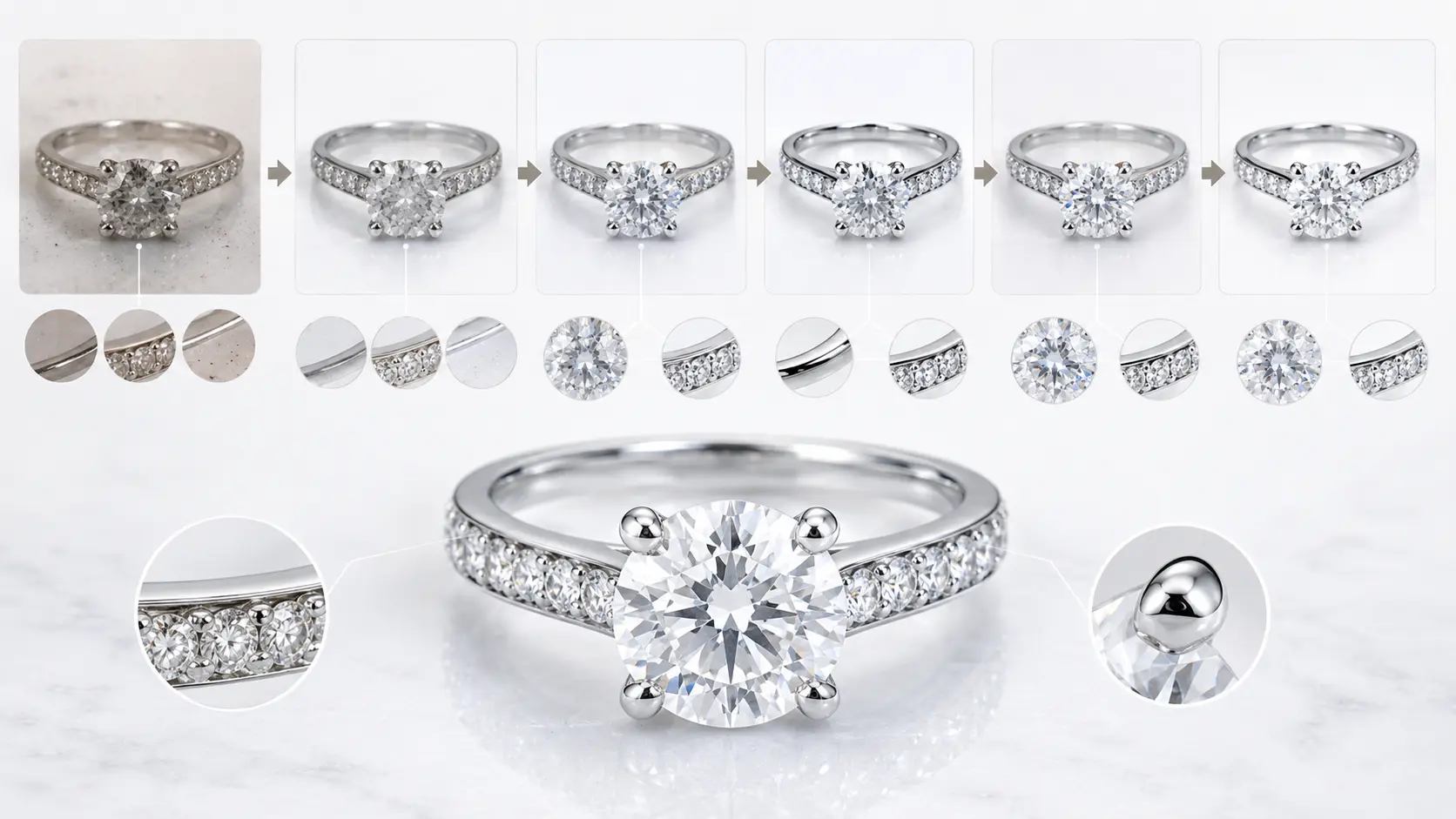
Step-by-Step Diamond Jewelry Retouching Workflow
Professional diamond jewelry retouching is usually done in stages. Experienced editors rarely jump straight into sparkle enhancement because the small technical issues need to be fixed first. If the base image is not clean, extra shine or sharpening normally makes the problems more visible.
Most jewelry retouchers start with RAW processing, then clean the image carefully before working on reflections, sparkle, color, and final export settings.
Step 1 – Image Selection and RAW Processing
The first step is choosing the sharpest photo from the shoot. In jewelry photography, even a slightly soft image can ruin the final result because customers often zoom in closely to inspect the details.
RAW processing helps recover lighting and color information from the original camera file. Editors usually balance exposure first so bright reflections on the diamond do not lose detail too early in the workflow.
Step 2 – Background Cleaning and Clipping Path
Before detailed retouching starts, the background needs to be cleaned properly. Small dust marks, uneven white tones, or unwanted reflections around the product can make the image look messy.
Most professional editors create a manual clipping path around the jewelry instead of depending on automatic background removal tools. This is especially important for rings, chains, and prongs where rough edges become very noticeable.
Step 3 – Dust and Scratch Removal
This part takes patience.
Macro jewelry photography captures tiny scratches, fingerprints, lint, and polishing marks that people normally cannot see with their eyes. In many cases, editors clean these imperfections manually one by one.
Tools like spot healing help speed up the process, but high-end jewelry retouching often needs additional manual cleanup. Some editors also use frequency separation to preserve the natural metal texture while removing surface problems.
Step 4 – Diamond Sparkle Enhancement
Sparkle enhancement is one of the most misunderstood parts of diamond photo retouching. Many beginners add strong glow effects or artificial star filters, which usually makes the jewelry look fake.
Professional retouchers work more carefully. Instead of creating new shine, they normally improve the natural brilliance already visible in the original image. Small highlight adjustments often look far better than exaggerated sparkle effects.
Step 5 – Metal Polishing and Reflection Control
Gold, silver, and platinum surfaces reflect light very aggressively. During product shoots, the metal can easily pick up dark reflections from cameras, studio equipment, or nearby objects.
Editors smooth uneven reflections and polish the surface gradually so the jewelry keeps a clean luxury finish. However, experienced retouchers usually avoid over-smoothing because perfectly mirrored metal can start looking unrealistic.
Step 6 – Color Correction and White Balance
Color correction helps the jewelry look accurate across different screens and marketplaces.
If white balance is off, diamonds may appear yellow, silver may look blue, and gold can become overly orange. Professional jewelry editors adjust these colors carefully because buyers pay close attention to gemstone and metal tones before purchasing.
Step 7 – Shadow Creation and Depth Enhancement
Jewelry photos without shadows often look flat or artificial. Soft shadows help create depth and make the product feel more natural on a white background.
Some editors keep parts of the original studio shadow, while others create custom shadows manually during retouching. The goal is usually to keep the product grounded without creating harsh dark areas under the jewelry.
Step 8 – Final Sharpening and Export Optimization
The final stage focuses on sharpening and export preparation. Editors sharpen the important details carefully so diamonds, prongs, and metal textures remain crisp after image compression.
Before uploading the final images to Shopify, Amazon, or Etsy, most retouchers also optimize dimensions and file size. Large files can slow down product pages, but excessive compression can reduce image quality very quickly.
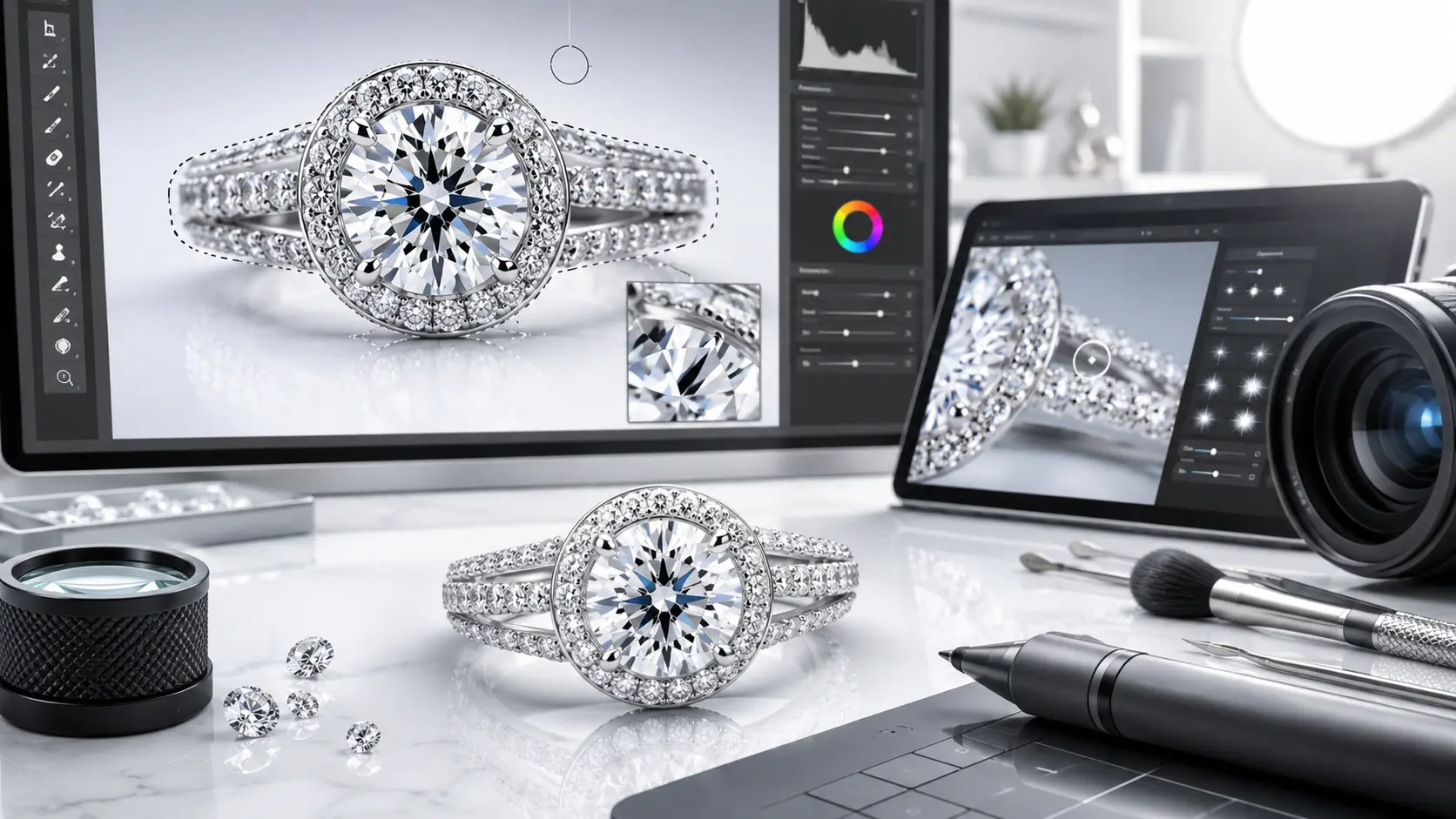
Best Tools for Jewelry Photo Retouching
Jewelry retouching needs more precision than regular product editing. A small mistake around the diamond edge or metal reflection can become very noticeable after zooming in. Because of that, most professional retouchers still depend on manual tools instead of quick automatic edits.
The software matters, but the editing approach matters even more.
Adobe Photoshop
Adobe Photoshop is still the main software used for professional diamond photo retouching. Most high-end jewelry editors use it for detailed cleanup, reflection control, metal polishing, and sparkle enhancement.
Tools like clone stamp, healing brush, layer masks, and dodge and burn are used constantly during jewelry editing. In many cases, editors zoom in extremely close just to clean tiny dust spots around the prongs or diamond edges.
Photoshop also gives much better control than mobile editing apps or automatic filters, especially for luxury jewelry images.
Lightroom for RAW Adjustments
Adobe Lightroom is usually used earlier in the workflow before detailed retouching begins.
Editors often fix exposure, white balance, highlight recovery, and basic color issues in Lightroom first. This helps create a cleaner starting point before moving into Photoshop for manual edits.
Many jewelry photographers also use Lightroom to sort large product shoots because going through hundreds of RAW files manually can become very time-consuming.
Graphic Tablets for Precision Editing
A lot of professional retouchers prefer using graphic tablets instead of a mouse. Small hand movements matter during jewelry editing, especially when cleaning reflections or retouching thin metal edges.
Tablets usually feel more natural during long editing sessions. They also help when working on tiny details like prongs, chain links, or gemstone corners where rough brush strokes become easy to notice.
AI Tools vs Manual Retouching
AI editing tools are getting better, especially for background removal and simple cleanup work. However, jewelry is still difficult for AI to handle properly.
Diamonds reflect light in complicated ways, and polished metals can confuse automatic editing systems very easily. Sometimes AI removes important reflections or creates fake-looking shine without understanding the jewelry surface.
Because of that, most professional jewelry retouchers still rely heavily on manual editing for high-end work. AI can speed up small tasks, but detailed diamond jewelry retouching usually needs human control.
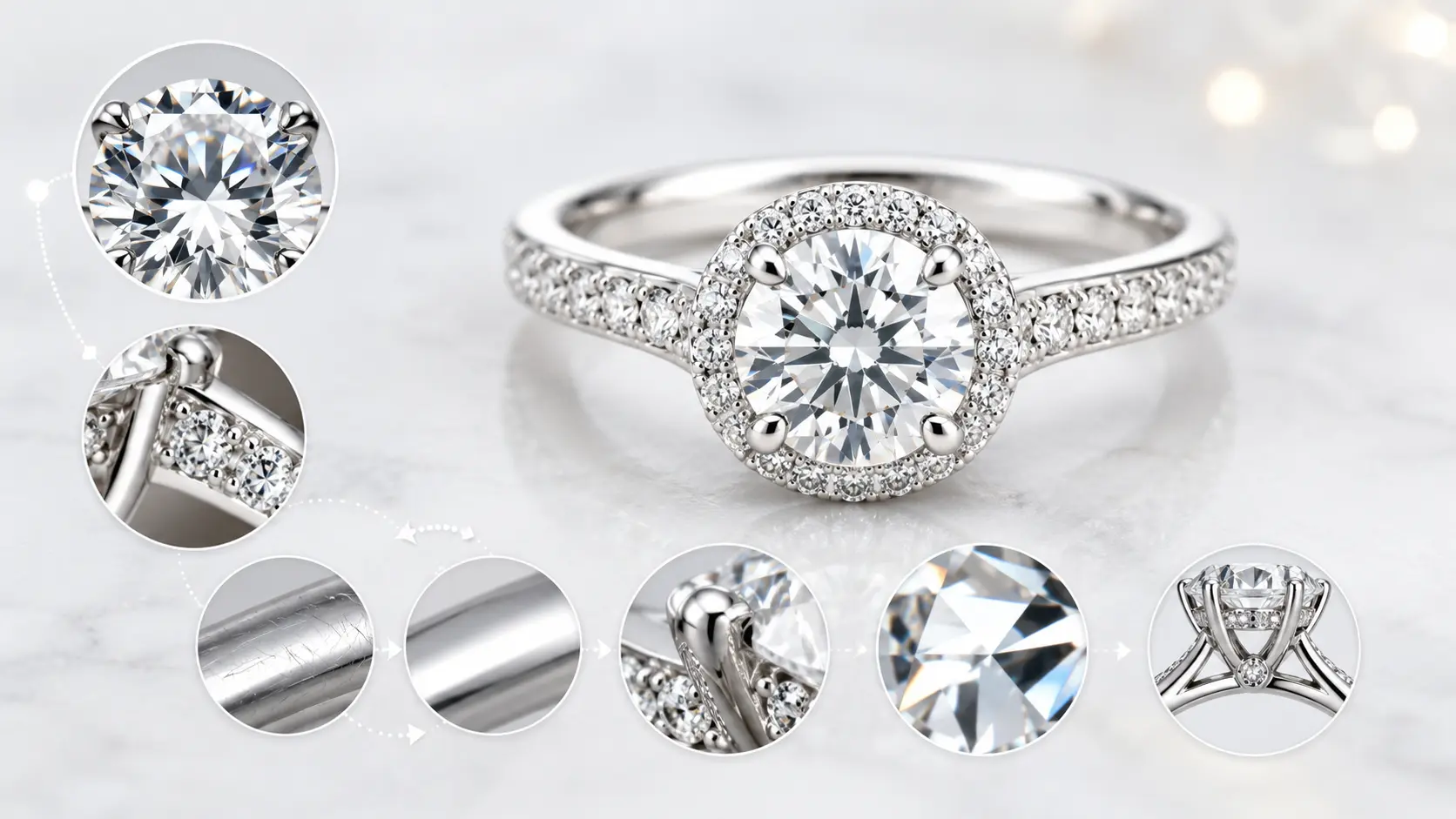
Expert Tips for Professional Diamond Retouching
Small editing decisions make a huge difference in jewelry photography. In many cases, the problem is not under-editing. It is over-editing.
A diamond image can lose its premium look very quickly if the sparkle becomes fake, the metal gets over-smoothed, or the colors stop looking realistic. Most experienced retouchers try to improve the image without making the editing obvious.
Keep Sparkle Natural
Beginners often add too much shine while editing diamonds. Heavy glow effects and artificial sparkle brushes may look impressive for a few seconds, but they usually make the jewelry feel fake.
Professional retouchers normally work more carefully. Instead of creating extra sparkle everywhere, they enhance the natural highlights already visible in the original image. A subtle adjustment often looks far more luxurious than aggressive effects.
Avoid Over-Smoothing Metal
Perfectly smooth metal rarely looks real in close-up jewelry photos.
Gold, silver, and platinum naturally contain tiny texture changes and soft reflections. If those details disappear completely, the jewelry can start looking plastic. This happens a lot when editors rely too heavily on blur tools during cleanup work.
Good retouching removes distractions without removing the character of the metal itself.
Zoom In for Micro-Detail Editing
Jewelry editing usually requires constant zooming in and out. A photo may look perfectly clean at normal size, then suddenly reveal dust spots or rough edges after zooming closer.
Experienced retouchers often check tiny areas multiple times during editing, especially around prongs, chain links, diamond edges, and reflections. Small mistakes become very easy to notice on high-resolution product pages.
Maintain Color Accuracy
Color correction should improve the jewelry photo, not completely change it.
Over-editing gemstone colors can create unrealistic expectations for buyers. For example, making a diamond look extra white or boosting gold tones too heavily may help the image stand out at first, but the product can look very different after delivery.
Most professional jewelry editors try to keep the final image clean, balanced, and believable.
Use Consistent Lighting Across Product Catalogs
Consistency matters a lot in e-commerce jewelry photography. If every product image has different shadows, color tones, or brightness levels, the store can start looking unorganized very quickly.
This is why established jewelry brands usually follow a consistent editing style across the full catalog. Similar lighting, background tone, and shadow depth help the collection feel more professional as a whole.
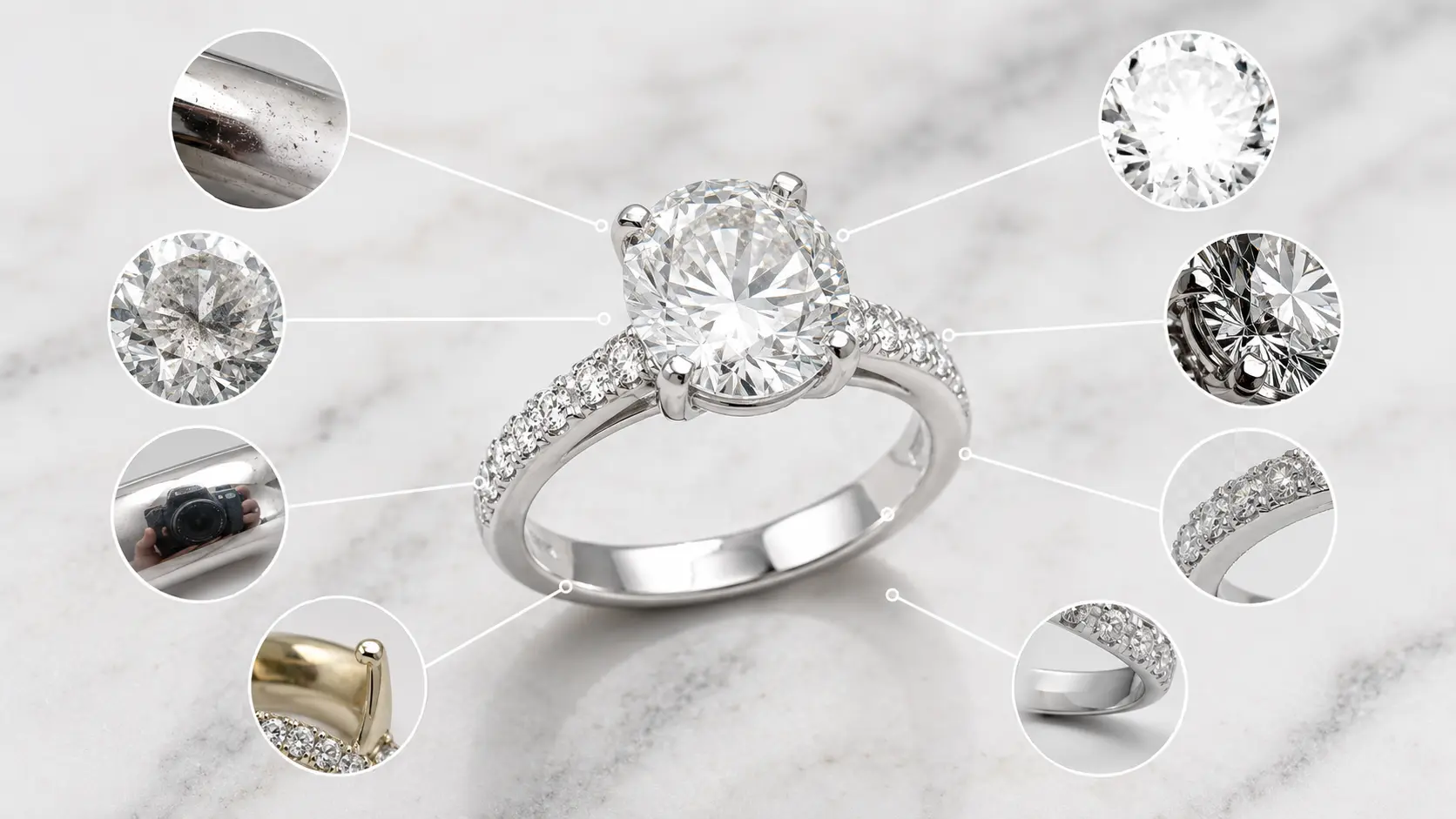
Common Jewelry Retouching Mistakes to Avoid
Jewelry retouching can improve a product photo a lot, but it is also very easy to overdo it. Many beginner edits look impressive at first glance, then start feeling fake after a few seconds.
This happens most often with diamonds because editors try too hard to make the jewelry look brighter, sharper, or more luxurious than the original product actually is.
Overediting Diamonds
Too much sparkle is probably the most common beginner mistake in diamond photo retouching.
Strong glow effects, extra white highlights, and artificial star filters can quickly make a real diamond look like costume jewelry. In most luxury product images, the sparkle is actually more controlled than people expect. Small highlight improvements usually look cleaner and more believable.
Unrealistic Reflections
Reflections are tricky in jewelry photography. Removing every reflection completely may sound like a good idea, but perfectly clean metal often looks unnatural.
At the same time, harsh dark reflections can distract from the diamond itself. Good jewelry retouching normally keeps soft natural reflections while reducing the distracting ones.
Excessive Sharpening
Over-sharpening creates rough edges around stones and metal details. It can also make dust, scratches, and texture problems even more noticeable.
This becomes worse on mobile screens where heavily sharpened jewelry photos often look noisy or overly processed. Experienced retouchers usually sharpen only the important areas instead of applying strong sharpening to the whole image.
Fake Shadows
Bad shadows can ruin an otherwise clean jewelry photo.
Sometimes beginners add very dark shadows under rings to create depth, but the result often looks unrealistic. Hard shadow edges are another common issue. Luxury jewelry photos usually look better with soft, controlled shadows that feel natural on white backgrounds.
Ignoring Mobile Optimization
A jewelry image may look perfect on a large monitor but completely different on a phone screen.
Small diamonds, thin chains, and detailed prongs can lose clarity very quickly on mobile devices. This is one reason many professional editors test product photos on both desktop and mobile before uploading them to Shopify, Amazon, or Etsy.
DIY Editing vs Professional Jewelry Retouching Services
A lot of jewelry sellers start with DIY editing. That is normal, especially for small catalogs or new e-commerce stores trying to control costs in the beginning.
The problem usually starts later. Jewelry retouching takes much longer than most people expect, especially with close-up diamond photos where every reflection, dust spot, and scratch becomes visible after zooming in.
When DIY Editing Makes Sense
DIY editing works best when the product images only need simple cleanup. For example, basic background removal, exposure adjustment, or small dust corrections are manageable with some practice.
It can also make sense for small Shopify or Etsy stores that upload products occasionally instead of every day. Learning basic editing skills helps many sellers understand how jewelry photography and lighting actually work.
When to Hire Professional Retouchers
Professional retouching becomes more valuable when image quality starts affecting conversions and brand perception.
Luxury jewelry buyers pay attention to small details. Uneven reflections, rough edges, fake sparkle, or inconsistent shadows can make expensive products feel less premium very quickly. Experienced jewelry retouchers usually know how to fix those problems without over-editing the image.
Large product catalogs are another reason brands outsource retouching work. Editing hundreds of jewelry photos manually while also managing an e-commerce business becomes difficult very fast.
Cost vs Quality Comparison
DIY editing usually saves money upfront, but it often costs more time.
A beginner may spend hours fixing one jewelry image that an experienced retoucher could finish much faster with cleaner results. This becomes even more noticeable with diamond rings, reflective metals, and high-resolution macro shots.
Professional diamond photo retouching services cost more, but the final images usually look more polished, more consistent, and more reliable for e-commerce use.
Time Savings for E-Commerce Brands
Jewelry retouching is repetitive and detail-heavy work. Cleaning reflections, fixing dust, balancing shadows, and checking colors across an entire product catalog can take a huge amount of time.
That is one reason many growing jewelry brands outsource editing instead of handling everything internally. It allows photographers, store owners, and marketing teams to focus on product launches, ads, and customer experience while retouchers handle the image preparation work.
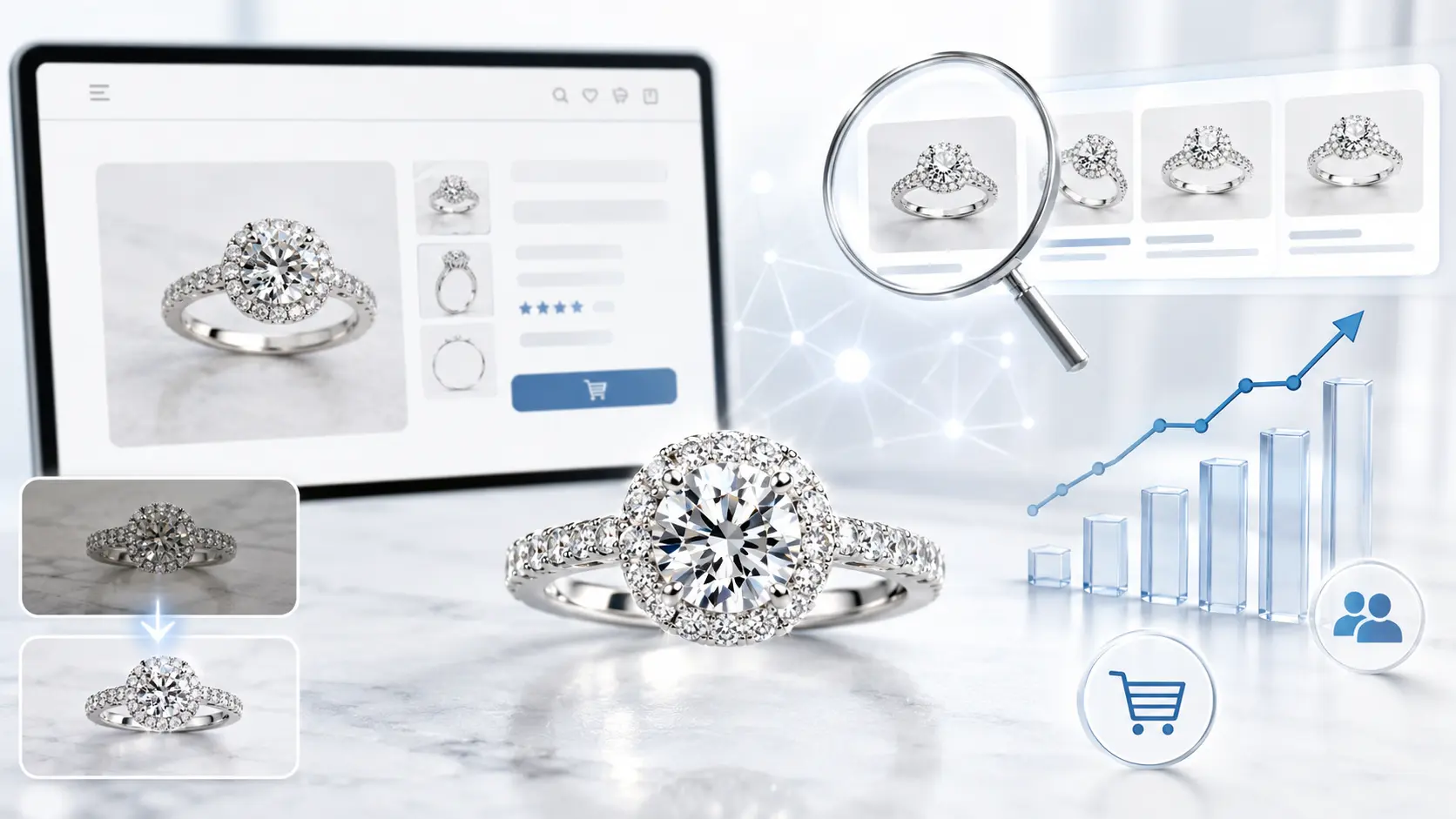
How Retouched Jewelry Photos Improve SEO and Conversion Rates
Jewelry buyers rely heavily on visuals before making a purchase. In many cases, the product photo creates the first impression long before someone reads the description or checks the price.
This matters even more for diamond jewelry because customers usually zoom in closely to inspect the details. If the image looks dull, blurry, or poorly edited, the product can lose trust very quickly.
Better CTR from Product Images
Clean product images usually attract more clicks.
When buyers scroll through Shopify collections, Amazon listings, or Google Shopping results, they compare products very fast. A bright, polished jewelry image naturally stands out more than a flat-looking photo with messy reflections or uneven lighting.
Even small improvements in sparkle, sharpness, and background cleanliness can make the product feel more premium at first glance.
Improved User Experience
Good jewelry photos make shopping easier.
Customers can inspect the stone shape, metal finish, and small design details without struggling to understand what they are looking at. This becomes especially important on mobile devices where blurry or badly cropped images quickly feel frustrating.
Consistent editing also helps the store feel more organized. When every product image follows a similar lighting and editing style, the catalog looks more professional as a whole.
Faster Purchase Decisions
Clear product photos reduce hesitation.
If buyers can easily see the sparkle, texture, and shape of the jewelry, they usually feel more confident about the product. Confusing images often create the opposite effect. People start wondering whether the item will look different after delivery.
This is one reason luxury jewelry brands spend so much time on product presentation before publishing new collections online.
Optimized Images for Search Engines
Image quality also affects technical SEO and page performance.
Large jewelry photos can slow down product pages if they are not optimized properly. At the same time, aggressive compression can make diamonds lose detail and clarity.
Professional jewelry retouchers usually balance both sides carefully. They optimize file size, dimensions, and export settings so the images stay sharp while still loading smoothly across desktop and mobile devices.
Frequently Asked Questions
What is diamond photo retouching?
Diamond photo retouching is the process of enhancing jewelry images by removing imperfections, improving sparkle, correcting colors, and creating luxury-quality product photos for e-commerce.
Why do jewelry photos need retouching?
Jewelry photography often captures dust, scratches, reflections, and lighting issues that make products look less attractive online.
How do professionals make diamonds sparkle in photos?
Professionals use advanced lighting correction, highlight enhancement, contrast adjustment, and manual retouching techniques to create natural-looking sparkle.
Which software is best for jewelry photo editing?
Adobe Photoshop is the most widely used software for professional jewelry retouching because of its precision editing tools.
How long does jewelry photo retouching take?
Basic jewelry editing may take 10–20 minutes per image, while high-end diamond retouching can take several hours depending on complexity.
Can AI replace professional jewelry retouching?
AI tools can speed up basic cleanup, but professional manual retouching still delivers better accuracy, luxury finishing, and realistic sparkle control.
Why are clean white backgrounds important for e-commerce jewelry photos?
White backgrounds improve focus on the jewelry, meet marketplace guidelines, and create a professional shopping experience.
Should e-commerce stores outsource jewelry photo retouching?
Outsourcing helps brands save time, maintain consistent quality, and achieve high-end visuals that improve customer trust and sales.
Final Thoughts
Good jewelry retouching is usually hard to notice. That is actually the point.
When editing is done properly, customers focus on the diamond, metal finish, and product details instead of the editing work. The jewelry looks clean, sharp, and premium without feeling fake.
For e-commerce brands, this matters a lot. Buyers zoom in, compare sparkle, check reflections, and judge quality from the image before they read much else.
Professional diamond photo retouching helps present the jewelry at its best while keeping it realistic for real customers. That balance is what makes product photos feel trustworthy.