

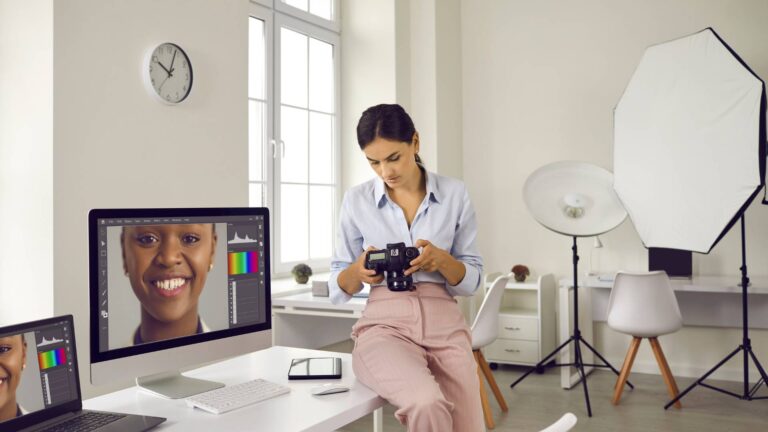
Creating attractive and professional visuals is more important than ever. By using free Photoshop filters, photographers, graphic designers, and content creators can easily enhance the quality and beauty of their images. These filters help with color correction, skin smoothing, detail sharpening, adding cinematic looks, and applying creative effects. From built-in Photoshop tools to popular free actions and creative effects like double exposure, film grain, and poster-style looks, these features are widely used. In this blog, we will discuss the best free photography filters for Photoshop.
We’ll explore some of the best free photography filters for Photoshop here, including popular plugins, actions, and effects.

Why Use Free Filters for Photoshop?
Using free filters for Photoshop saves time, boosts creativity, and delivers consistent results. These filters are perfect for:
- Professional photo retouching
- Social media content creation
- Poster & banner design
- Wedding and portrait photography
- Cinematic and retro photo effects
Many eye candy filters for Photoshop free download options offer premium-quality results without any cost.

List of Photoshop Filters, Effects, and Actions
1. Gaussian Blur
Gaussian Blur is a classic Photoshop filter. This Photoshop filter is perfect for softening edges and smoothing color transitions. It is highly effective for skin smoothing in portrait editing. It can also be used to blur backgrounds or create creative effects. The filter helps reduce unwanted noise and distractions in photos. Overall, it provides a professional and polished look with minimal effort.
- Best For: Skin smoothing, background blur, and reducing distractions.
- Free: Built into Photoshop; often included in free actions.
How it works:
- It averages pixels based on a Gaussian (bell-shaped) curve.
- You control the blur strength using the Radius value.
- Low radius → slight softness
- High radius → strong blur
2. Motion Blur
Motion Blur adds the illusion of speed and movement to an image. It is ideal for making objects or scenes appear in motion. This filter works particularly well in sports, vehicles, or creative photography. Motion Blur enhances the energy and dynamic feel of an image. It is perfect for creating action-packed and visually engaging photos. It helps make an object appear as if it is moving at high speed. Through the panning effect, the background can be blurred while keeping the main subject more prominent and focused.
To apply Motion Blur, first select the layer you want to edit and convert it into a Smart Object. Then go to Filter > Blur > Motion Blur, set the direction of motion using the Angle option, and increase the Distance value to control the amount of blur. You can use the Smart Filter Mask and paint with a black brush to keep necessary areas sharp. Path Blur helps you to create curved or custom motion, helping achieve a more realistic sense of speed and dynamic visual impact.
3. Renamy
Renamy is a Photoshop plugin or action that simplifies renaming layers or files and batch processing. While it is not a visual filter, it helps streamline and speed up editing workflows. Processing multiple images or layers at once saves significant time. It is essential for large projects or photoshoots. Using Renamy ensures a more organized and efficient workflow.
-
Built-in Photoshop options include:
-
Photo Filter Adjustment Layers for non-destructive color warming, cooling, and tinting.
-
Filter Gallery for artistic and distortion effects.
-
Neural Filters, which use AI for advanced edits like skin smoothing and photo restoration (included with Creative Cloud).
-
-
Free third-party tools and resources include:
-
Google Nik Collection (color correction, black & white, noise reduction).
-
Adobe Express is a free online editor with filters and effects.
-
Free Photoshop Actions from sources like ShutterPulse and FixThePhoto for color grading, retouching, and HDR effects.
-
HDR Sharpener is a free plugin for enhancing dynamic range.
-
4. Blow Up 3
Blow Up 3 is a tool that enlarges images while minimizing quality loss. It is primarily used to create high-resolution images for printing. After applying filters, it ensures the image remains crisp and detailed. It is highly useful for digital art and professional photography. Blow Up 3 maintains quality when scaling images to larger sizes. Blow Up 3 is not a free filter—it’s a paid, professional photo resizing plugin by Exposure Software designed to enlarge images without blur or pixelation. It’s especially useful for large-format prints, using advanced (vector-style) enlargement to keep edges sharp and details clear. While it’s a commercial product, a 30-day free trial is available.
5. Ink Effect
Ink Effect transforms photos into sketches or ink-style illustrations. It is useful for creative designs, posters, and digital artwork. This filter provides an artistic and hand-drawn appearance. It helps create dramatic and visually striking compositions. Designers often use it for both print and social media projects.
-
Free Photoshop Actions: Downloadable actions (e.g., pen sketch or ink art effects from sites like Freepik) can quickly transform photos into ink-style illustrations.
-
Free Brushes & Textures: Resources like Brusheezy offer ink splatter, stroke, and wet ink brushes for creating realistic ink effects manually.
-
Manual Techniques & Tutorials: Combining photos with ink splash images, blending modes, and adjustments like Threshold can produce dramatic ink effects.
-
Built-in Photoshop Filters: The Filter Gallery (Sketch and Artistic filters such as Graphic Pen or Ink Outlines) and adjusted Oil Paint settings can mimic ink drawings.
-
Free Trials of Premium Plugins: Tools like Nik Collection (Analog Efex Pro) and ON1 Effects offer trial versions that can create high-quality ink or etched-style effects.
6. Double Exposure Effect
Double Exposure Effect combines two or more images into a single creative composition. It is popular in fashion, cinematic, and advertising photography. This effect allows photographers to convey different moods and stories in one image. It creates a unique and dynamic look. Many creative artists use it to produce visually compelling results.
- Best For: Creating artistic compositions by combining two images.
- Free: Many free actions are available online.
7. Filter Forge
Filter Forge is a powerful plugin for Photoshop that allows you to create textures, patterns, and custom filters. It is particularly useful for generating unique visual effects. This filter is commonly used in backgrounds, abstract art, and digital projects. Photographers and designers rely on it for professional layer effects. It helps give images a distinctive and artistic look.
- Best For: Custom textures, patterns, and creative effects.
- Free: Basic trial is free; full version is paid.
8. Adobe Camera Raw
Adobe Camera Raw is Photoshop’s built-in RAW editor. It allows advanced color correction, exposure adjustment, and clarity enhancements. Professional photographers use it to ensure high-quality image processing. It works with both RAW and JPEG files. This filter is essential for achieving professional-grade photo edits. it allows powerful, fully reversible adjustments while preserving the original image data.
The Adobe Camera Raw (ACR) Filter provides Lightroom-style, non-destructive editing tools within Photoshop. It includes core adjustments like white balance, exposure, contrast, highlights, shadows, texture, clarity, dehaze, vibrance, and saturation, along with advanced tonal control using RGB and individual color curves. Precise color editing is supported through the HSL/Color Mixer and Color Grading, while detail tools manage sharpening and noise reduction.
ACR also offers creative and corrective features such as grain, vignette, texture effects, lens corrections, chromatic aberration removal, and perspective adjustments. It includes AI-powered masking for sky, subject, and background selections, plus manual masks for local edits. With Lens Blur and reusable presets, ACR remains fully editable, integrates Lightroom’s Develop tools into Photoshop, and boosts editing speed and consistency.
9. Pure Portrait Photoshop Action
Pure Portrait is a one-click action designed specifically for portrait retouching. It smooths skin, brightens eyes, and balances tones. This filter saves time and effort for portrait photographers. It provides a professional and polished appearance quickly. It is especially popular in fashion and beauty photography.
- Best For: Portrait retouching, skin smoothing, and tone correction.
- Free: Some websites offer it for free.
10. Retro Film Photo Effect
Retro Film Effect adds a vintage look with faded colors and grain to images. It creates a nostalgic, cinematic feel. This filter works well for advertisements, fashion, and creative photography. It enhances the storytelling and mood of an image. Many photographers use it to evoke a classic film style.
Photoshop Actions make it easy to apply retro film effects by loading a downloaded .atn file into the Actions panel, selecting an image, and clicking Play to run the pre-recorded steps. The effect can be customized by adjusting layer opacity or fine-tuning individual adjustment layers created by the action.
Common retro film effects include faded colors and matte finishes for a nostalgic look, added film grain or noise for texture, light leaks and color tints to mimic old cameras, vignettes to darken corners, and duotone or color overlays for a stylized vintage feel.
11. Window Reflection Effect for Posters
This effect creates realistic reflections for posters and advertisements. It adds a professional and dynamic appearance to designs. It is especially useful in product or brand promotion. The filter enhances the visual storytelling of images. Many designers use it to elevate their poster layouts.
- Best For: Creating realistic reflections in posters and ads.
- Free: Some free templates and actions exist.
12. Portrait Photoshop Actions
Portrait Photoshop Actions automate complex retouching processes. They adjust skin, eyes, teeth, and tone balance quickly. These actions are particularly effective in fashion and beauty photography. They reduce editing time while maintaining professional quality. Portrait photographers rely on these actions for consistent results.
- Best For: Automated portrait retouching and beauty photography.
- Free: Many free versions exist online.
13. Film Grain Photo Effect
Film Grain Effect adds cinematic grain and texture to digital images. It gives a classic film look to modern photos. This effect is widely used in advertisements, fashion, and creative photography. It enhances depth and artistic appeal. Many photographers use it to create timeless, visually compelling images.
- Best For: Adding cinematic grain and texture to photos.
- Free: Free actions available online.
14. Royal Wedding Pro Photoshop Actions
Royal Wedding Pro Actions are designed for luxury wedding photography. They enhance lighting, tones, and colors for a polished result. The actions save editing time and improve photo elegance. They are particularly suited for premium events and high-end weddings. Photographers use them to achieve a sophisticated and luxurious aesthetic.
- Best For: Luxury wedding photography and tone enhancement.
- Free: Some free trial versions may exist.
15. Posterize
Posterize takes a photo with smooth color transitions and limits it to a few fixed color levels, making the image look flat, bold, and poster-like.
- A normal image contains thousands of color tones
- Posterize lets you choose how many color levels to keep (e.g., 3, 5, 10)
- Fewer levels → stronger contrast, hard color edges
- More levels → smoother appearance
Where it’s used:
- Graphic and poster design
- Artistic or cartoon-style effects
- Creating high-contrast visuals
- Turning photos into stylized illustrations
16. Noise / Add Grain
Noise or Add Grain adds texture to your photos, making digital images appear more realistic and less flat. It can mimic film grain for a cinematic or vintage look. This effect is commonly used in creative photography, fine art, or editorial projects. By subtly breaking up smooth areas, it enhances depth and character in the image. Noise can transform ordinary shots into visually interesting and textured visuals.
- Best For: Adding texture and depth, creating cinematic or vintage effects.
- Free: Available in Photoshop; some free actions include this effect.
17. Liquify
Liquify allows you to reshape elements in an image, including facial features, bodies, or objects. It is widely used in fashion, portrait, and beauty photography for subtle corrections or dramatic effects. This tool gives precise control over pushing, pulling, and warping pixels. It can enhance proportions, expressions, or artistic compositions. Liquify is essential for achieving professional-level retouching and creative adjustments.
- Best For: Reshaping features, body adjustments, and creative transformations.
- Free: Built into Photoshop.
18. Oil Paint
Oil Paint converts images into painterly artworks with smooth brushstroke textures. It gives a photo an artistic, hand-painted appearance that is perfect for creative projects. Designers often use it for posters, digital art, or stylized portraits. The filter allows customization of stylization, cleanliness, and scale to fit the desired effect. Oil Paint can turn ordinary images into visually striking artworks with minimal effort.
- Best For: Artistic effects, digital painting, and creative stylized images.
- Free: Built into Photoshop (CC versions).
19. Luminar
Luminar is a plugin for advanced color grading and creative photo enhancements. It allows photographers to enhance tones, lighting, and mood with professional tools. Luminar can be used for landscapes, portraits, or artistic photography. It saves time by applying multiple effects quickly while maintaining high-quality results. Many photographers rely on it to achieve polished, cinematic looks.
- Best For: Color grading, creative filters, and professional editing.
- Free: Some free trial versions are available; the full plugin is paid.
20. Camera Raw Filter
Camera Raw Filter is Photoshop’s built-in RAW editor, designed for high-quality image adjustments. It allows advanced control over exposure, color, clarity, and contrast. Photographers use it to edit RAW files while maintaining full image quality. This filter also supports batch processing for multiple images at once. Camera Raw ensures professional-level results with precise control over photo adjustments.
- Best For: RAW file editing, color correction, and professional adjustments.
- Free: Included with Photoshop.
21. High Pass
High Pass enhances details and sharpness in an image without affecting color. It is commonly used in portraits, landscapes, or commercial photography. Isolating edge details allows for precise sharpening, resulting in a crisp and professional look. The filter can be applied with layer blending modes for non-destructive edits. High Pass is a standard tool for photographers and designers aiming for clean, detailed visuals.
- Best For: Enhancing sharpness and edge details.
- Free: Built into Photoshop.
22. Surface Blur
Surface Blur reduces noise while preserving edges, making it perfect for skin smoothing or background softening. Unlike Gaussian Blur, it maintains important details while softening areas that need smoothing. This filter is commonly used in portrait and fashion photography. It provides clean, professional results without compromising sharpness. Surface Blur is a reliable tool for retouching and creative photo editing.
- Best For: Skin smoothing, background softening, and professional retouching.
- Free: Built into Photoshop.
Final Thoughts
Using free filters for Photoshop doesn’t mean compromising on quality. From eye candy filters for Photoshop free download to advanced portrait and film effects, these tools help photographers and designers elevate their work effortlessly. If you’re looking to expand your creative toolkit, start experimenting with these free photography filters for Photoshop and discover new styles that match your vision.















